If you work in apparel e-commerce operations, you’ve likely run into this awkward scenario:
If you work in apparel e-commerce operations, you’ve likely run into this awkward scenario:
After weeks of hard work organizing dozens of new arrivals for your seasonal drop, every individual product image looks polished on its own. But as soon as you open your store’s Catalog Grid or new Lookbook, the visual experience completely falls apart. The first SKU features a high-fashion Western supermodel, the second switches to a sweet Korean-style model, and the third shifts to a cold, edgy vibe. Facial features, skin tones, body proportions, and even lighting angles are all over the place across your store's models. Scroll down a few pages, and customers feel like they're browsing a cobbled-together scrap magazine rather than a cohesive, premium brand.
Many sellers jumping into AI model generation fall into this exact trap: focusing purely on making "single images look stunning" while ignoring "catalog-wide consistency."
According to core analysis from McKinsey on online fashion retail, great product photography and clear visual copy are critical foundations for online fashion success. McKinsey also points out that generative AI is helping fashion brands boost productivity and speed up time-to-market by accelerating visual content production. However, the cost efficiency and speed gains from AI only work if they are built on a "visual order" that aligns with your brand identity.
Today, let's cut through the marketing hype and look at this strictly from a practical e-commerce operations perspective: how do you choose models for your fashion catalog, how do you use the "control variable method" to lock model features in place, and how do you build a cohesive, highly consistent visual identity for your store?
1. Why "Model Consistency" Matters Far More Than "Single-Image Wow Factor"
For shoppers, browsing your e-commerce catalog is just like walking into a brick-and-mortar designer boutique. A clean, uniform visual style implicitly signals that your brand is professional, trustworthy, and design-led.
If facial features and model personas jump around wildly within the same collection, it creates three immediate operational headaches:
- Distracted Customer Focus: Shoppers naturally focus first on prominent facial features and body shapes. If the model constantly changes, buyers must repeatedly adapt to new faces instead of focusing on the garment's cut, fabric, color, and print details.
- Diluted Brand Recall: Major fashion houses are recognizable at a glance largely because they anchor their visual identity around consistent faces. By locking in 1–2 base models whose vibe matches your brand, shoppers will associate images with your brand even before seeing your logo.
- Conversion Losses from Visual Clutter: On a catalog grid page, a mishmash of mismatched models gives off a cheap dropshipping or flea-market vibe, directly undermining perceived product quality and pricing power.
That’s why in fashion catalog production, consistency carries far more weight than single-image drama.
2. Achieving Catalog Consistency: Two Practical Action Paths
Achieving model consistency in a real store doesn't mean sticking to a stiff, identical pose for every single photo. In day-to-day operations, you can choose between two practical paths depending on your display context:
| Dimension | Path A: Static Anchoring (Fixed Base Model, Changing Outfits) | Path B: Dynamic Feature Extension (Fixed Person Anchor, Changing Context) |
|---|---|---|
| Core Logic | Lock the same model, same pose, and same background; change only the garment | Lock model facial and body traits; tweak poses, lighting, and scenes |
| Best For | Product catalog grid main images, SKU matrix shots | Product detail page lookbooks, editorial shots, social media campaign posters |
| Operational Advantage | Ultra-clean alignment; ideal for quick comparison of styles and colors | Mood-rich and dynamic; avoids rigid, monotonous pages |
| Source Image Requirement | Clean flat lay or hanger shot | Garment image paired with appropriate pose reference or background prompts |
| Recommended Tool | ProductShot AI Fashion Model Generator | ProductShot AI Fashion Model Generator |
Path A Practical Advice: Ideal for Main Grid Images
If you're creating main grid images for a whole drop of new arrivals, Path A is strongly recommended. Start by selecting or uploading a base model that fits your brand positioning (you can use pre-set e-commerce models or upload a high-resolution reference photo), then run each new SKU through the generation workflow.
The key here is leveraging the "Garment Lock" feature in the ProductShot AI Fashion Model Generator. While dressing the model, the system preserves the original garment's color, prints, logos, fit, and fabric texture to the maximum extent. This ensures product details remain realistic and accurate while keeping model body shape and facial features 100% consistent across your catalog.
Path B Practical Advice: Ideal for Detail Pages & Brand Lookbooks
If you are producing a lookbook for a seasonal sale or collection launch, using the same studio pose throughout can feel repetitive.
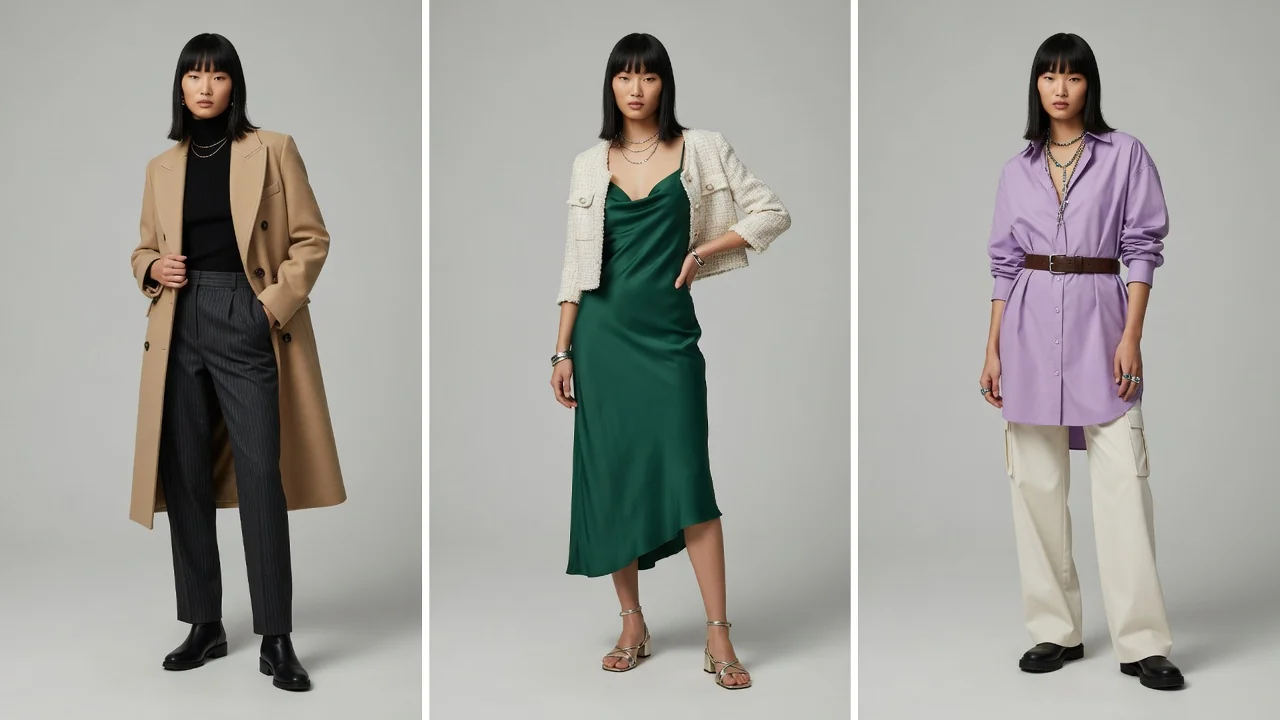
In this case, treat the model's facial features and body structure as a fixed Identity Anchor. While maintaining consistent facial recognition, let the model showcase different outfits across varied poses, indoor/outdoor lighting, or subtle angle shifts. The resulting visual narrative feels like "the same model shooting across different locations" while maintaining a strong, unified brand feel.
3. The Secret to Catalog Control: The "Control Variable Method"
The most common mistake teams make with AI tools is changing every parameter on every run—switching backgrounds, altering poses, and modifying lighting all at once. The result is a set of images that simply cannot hang together as a cohesive collection.
To generate images that are both structured and visually rich, you must strictly follow the Control Variable Method:
【Main Image Control Plan】
- Fixed: Model Face + Body Frame + Pose + Background Tone
- Variable: Garment SKU only
- Result: An ultra-clean product grid that puts full focus on garment design
【Detail Page / Lookbook Control Plan】
- Fixed: Model Face + Garment Lock Details + Overall Color Temperature
- Variable: Slight 15°–30° pose shifts + Scene lighting atmosphere
- Result: Dynamic and engaging visuals without losing model identity
Step-by-Step Execution:
- Play It Safe on Main Images: For the primary shot of every SKU, stick to a straight-on or subtle 15° quarter-turn pose paired with a solid or minimalist background. This lets shoppers seamlessly compare garment variations as they scroll.
- Unwind Gradually in Secondary Shots: In images 2–4 on the product detail page, keep the model's face and "garment lock" constant while introducing slight pose variations (e.g., hand in pocket, turning to show the back).
- Maintain Consistent Color Temperature: For indoor studio aesthetics, keep lighting color temperature locked between 5000K–5500K warm white. For outdoor natural light shoots, avoid mixing harsh noon sunlight with dark golden-hour tones within the same product set.
4. Step-by-Step Guide: Building Your Team’s "AI Model Asset Library"
To avoid starting from scratch every time you launch new products, mature e-commerce teams build an "AI Model Asset Library." These 4 steps can double your team's visual workflow efficiency:
Step 1: Define Your Brand Persona Matrix
Based on your primary product categories and target audience, define 1–2 core model personas. For example:
- Womenswear French Contemporary Line: Focus on a 25–35 age range, defined facial features, and an effortless, elegant vibe.
- Menswear High-Street Line: Focus on an 18–28 age range, excellent body proportions, and expressive body language.
Step 2: Select and Save Base Model Reference Images
When choosing base model reference photos, stick to these standards:
- Even Lighting: Choose photos with balanced front lighting and no harsh shadows to ensure accurate color rendering during outfit swaps.
- Neutral Expression: A slight smile or calm expression works best across both basic essentials and statement design pieces.
- No Accessory Obstructions: Avoid base photos with sunglasses, oversized scarves, or wide hat brims that obscure facial features.
Step 3: Prepare Standardized Garment Source Photos
The quality of garment photos submitted to AI directly determines how clean the output looks.
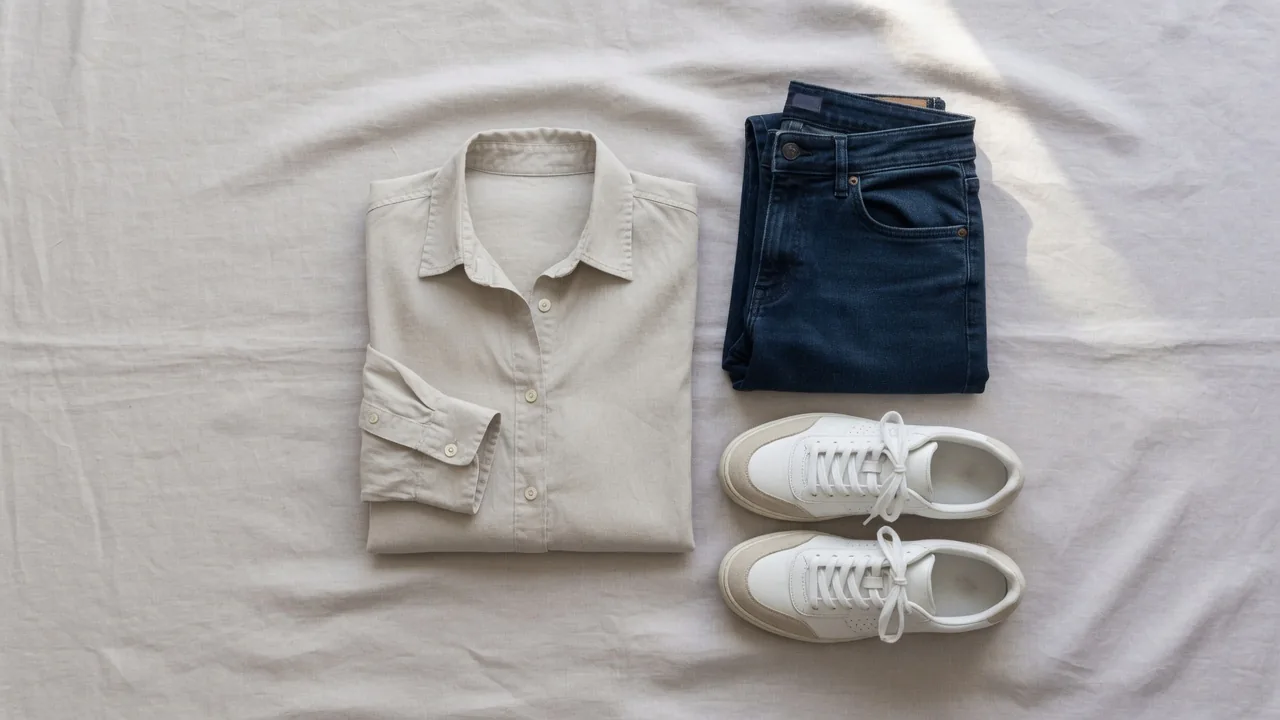
- Use smooth, wrinkle-free flat lay photos or hanger shots.
- Ensure ample lighting with no color casts, keeping logos and prints completely unobscured.
Step 4: Build a Quality Check (QC) Checklist
Before publishing generated images, run a quick Quality Check using these 4 points:
- Facial Consistency: Do facial features match the base model without distortion?
- Garment Lock Integrity: Are collars, cuffs, logos, and key prints fully preserved?
- Body Proportions: Do shoulder width and head-to-body ratios look natural for everyday wear?
- Edge Transitions: Are seams between garments, skin, and backgrounds clean without unnatural artifacts?
Archive approved base images, prompt settings, and reference photos. For the next seasonal drop, your team can pull directly from the asset library to batch-generate cohesive catalog images in minutes.
5. Operations Essential: Defining the Line Between Visual Previews and Real Sizing
In e-commerce operations, the ultimate goal beyond boosting conversion is controlling return rates. When using AI model generation and virtual try-ons, it is essential to establish a clear boundary:
According to research from Coresight Research, online apparel orders have an average return rate of 24.4%, with "sizing and fit issues" accounting for 53% of all returns.
While enjoying the visual convenience brought by AI models, operations teams must make one thing clear:
All AI model try-on images and AI Virtual Try-On renders are inherently "Visual Vibe Checks" and styling inspirations. They should never serve as a basis for actual size measurements or fit evaluations.
Accurate size charts (including flat lay dimensions), model height/weight/measurements, and fabric elasticity descriptions on product detail pages remain indispensable. AI models handle visual appeal ("does it look good on?"), while accurate size charts control returns ("will it fit when it arrives?"). Combining both is the right path to driving sales while cutting costs.
6. How to Build Full-Store Visuals with ProductShot Tools
To build a high-end brand store experience beyond catalog consistency, use the suite of ProductShot tools across your entire asset workflow:
- Catalog Model Generation: Convert flat lay or hanger shots into consistent e-commerce model renders using the ProductShot AI Fashion Model Generator.
- Multi-Body Type & Outfit Testing: Preview styling across different models using AI Virtual Try-On to discover the best visual combinations.
- Commercial Still Life & Scene Synthesis: Generate atmospheric shots using the AI Product Photography Generator, or create Amazon/Shopify-compliant white background images with the AI White Background Generator.
- Pre-Processing Source Images: Clean up complex backgrounds and boost image resolution first using the free Product Background Remover & Enhancer.
Conclusion
For fashion e-commerce brands, a clean, cohesive catalog is the cornerstone of building brand trust and driving catalog conversions. By selecting base models, strictly executing the "control variable method," and building a dedicated model asset library, your operations team can efficiently deliver premium, high-fashion visual assets.
Ready to elevate your new collection to a premium brand standard? Try the ProductShot AI Fashion Model Generator today to create consistent, high-end fashion model visuals in just a few clicks!