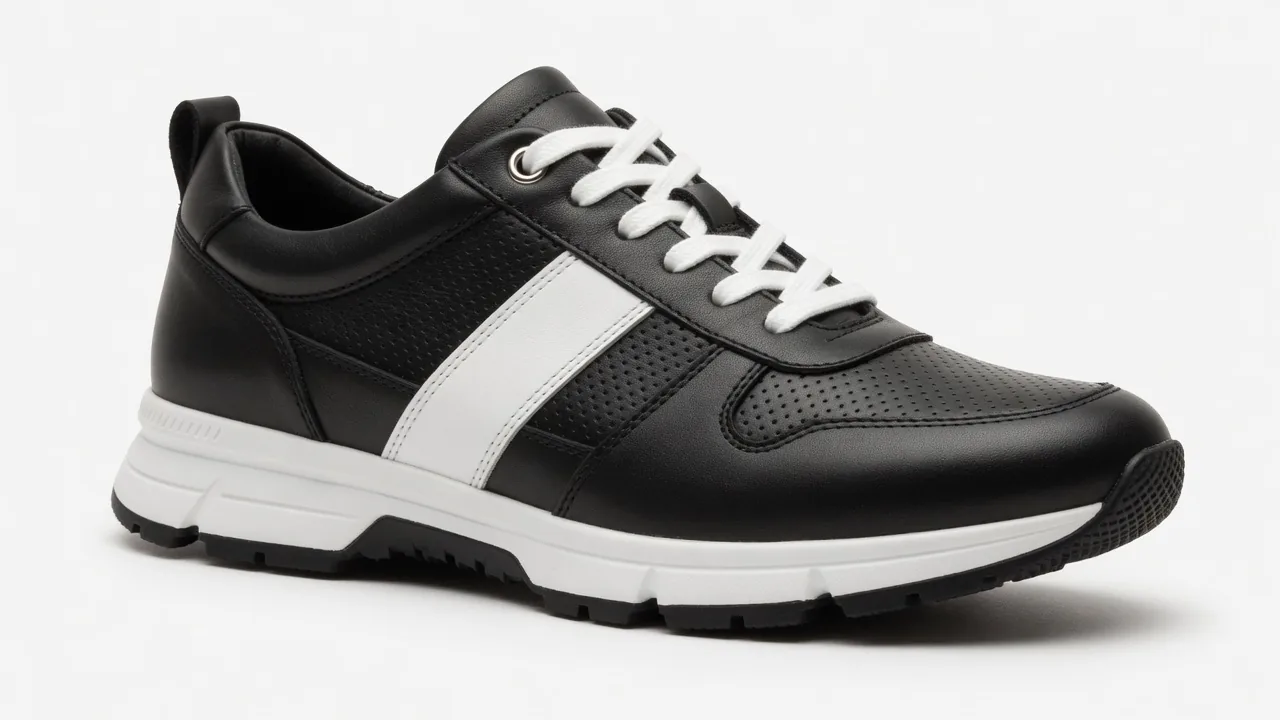
If you run an apparel e-commerce business, two major headaches likely keep you up at night: painfully high return rates and shoppers hesitating right before …
If you run an apparel e-commerce business, two major headaches likely keep you up at night: painfully high return rates and shoppers hesitating right before checkout, asking themselves, "How will this actually look on me?"
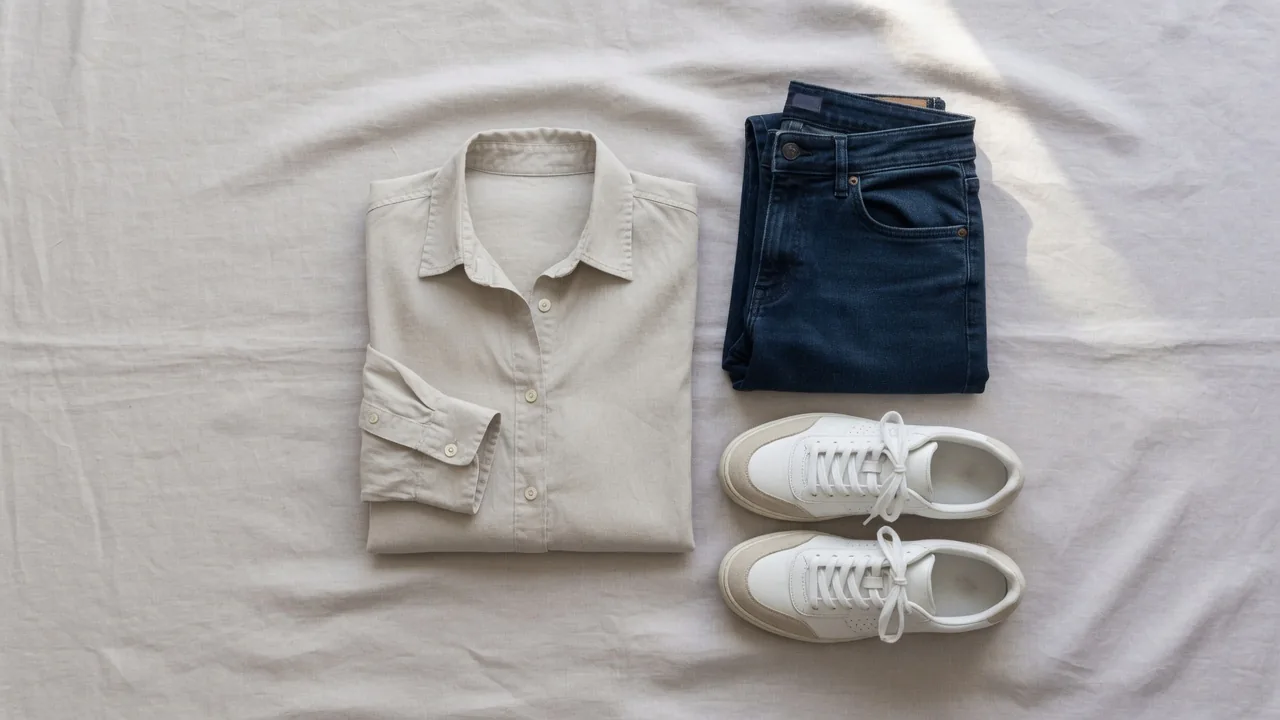
In the past, storefront apparel presentation options were limited: flat lays on a table, hanger shots on a wall, or spending a small fortune hiring professional models and booking studio shoots. While flat lays and hanger shots keep costs down, customers can't picture the drape, fit, or proportions on a real body. Studio photoshoots deliver stunning results, but hourly model rates, studio rentals, and long editing turnarounds create a heavy burden for independent brands and small-to-midsize teams.
Over the past few years, "virtual try-on (VTO) visuals" have taken the industry by storm. Many merchants have discovered that giving buyers an intuitive, on-body preview not only doubles time spent on-site but also boosts conversion rates. Today, let’s set aside the hype and discuss how virtual try-on previews actually work in apparel e-commerce, the critical pitfalls to avoid, and how to build a high-converting visual experience on your own store.
1. Industry Background: The Return Surge Is Eating Profits—Why Are Buyers Still Hesitant?
To understand the true value of virtual try-on visuals, let's look at recent industry data.
According to stats released jointly by the NRF (National Retail Federation) and Happy Returns, U.S. retail returns reached an astounding $890 billion in 2024, accounting for approximately 16.9% of total annual sales. Furthermore, NRF projections for 2025 indicate that total returns are expected to hit around $849.9 billion, with the online retail return rate reaching 19.3%.
Among all online categories, apparel remains the hardest hit. Research from Coresight Research reveals that the average return rate for online apparel orders stands around 24.4%. More importantly, Coresight's study highlights that "sizing and fit issues" account for 53% of all apparel returns—far outpacing color discrepancies (16%) or damaged packaging (10%). Industry coverage from WWD similarly noted that over the past 12 months, returns driven by sizing and fit issues approached nearly 70%.
Note: The data cited above are macro-level statistics compiled by third-party research organizations, including the NRF and Coresight Research, covering global and U.S. e-commerce markets. They do not represent internal benchmark testing results from ProductShot AI software.
These public statistics underscore the primary driver behind checkout hesitation: uncertainty. As McKinsey noted in its apparel returns management research, apparel returns are not entirely uncontrollable. By optimizing frontend visual product presentation and setting realistic expectations, merchants can significantly curb impulse returns caused by "it didn't look like what I expected" moments.
2. Platform Try-Ons vs. On-Site Self-Hosting: Why Bring the Preview Experience Back to Your Store?
If you closely follow e-commerce trends, you’ve likely seen major platforms stepping into virtual try-ons.
For example, Google Shopping's official virtual try-on feature allows users searching for apparel to upload a full-body photo and try on garments across Google's Shopping Graph, displaying natural fabric folds, drape, and visual fit. Similarly, the Shopify Official Blog has explored how AR and visual shopping bolster consumer purchasing confidence, releasing an AR apparel try-on analysis showing how interactive visual previews set realistic expectations.
With major platforms and apps offering try-on features, why should independent DTC brands build virtual try-on visuals right on their own stores? There are three main practical reasons:
- Preventing Traffic and Data Leakage: If shoppers complete their try-on experience on external search engines or discovery platforms, that traffic never hits your store, and critical behavioral data is lost.
- Maintaining Brand Trust and Decision-Making: Your Product Detail Pages (PDPs) house your brand story, detailed fabric specs, care guides, and styling recommendations. Siphoning buyers away to external apps breaks the buying journey.
- Full Control Over Marketing Visuals: Platform preview formats are fixed and generic. By building your own visual assets on-site, you can repurpose try-on images across Lookbooks, email campaigns (EDM), social channels, and homepage banners.
3. Core Positioning & Best Practices: It’s a "Visual Preview," Not a "Sizing Measurement Tool"!
When first adopting virtual try-on tech, many merchants fall into a marketing trap: assuming it can replace physical size charts. This boundary must be clearly established when presenting try-ons to shoppers.
Some buyers might ask: "Can this try-on feature tell me whether I should buy a Medium or Large at 5'5" and 125 lbs? Can it measure my shoulder width?"
The clear answer is: No. It is not a 3D measurement tool.
From an image-generation perspective, current AI try-on tools primarily solve the buyer's psychological visual expectation ("Vibe Check"), rather than physical 3D tailoring metrics.
Mandatory On-Site Store Disclaimer: When displaying AI-generated try-on images on product pages or promotional campaigns, merchants should explicitly state: "The virtual try-on images provided on this site are for visual preview purposes only and should not be used as an exact measurement for sizing or physical fit. Please refer to our standard size chart and flat-lay measurements for precise sizing."
Once this scope is defined, visual previews remain immensely effective. Over 80% of buyer hesitation stems from visual uncertainties:
- Color & Skin Tone: Does this shade complement my complexion?
- Silhouette & Proportions: Will drop shoulders make me look slouchy? Will a cropped top elongate my waistline?
- Prints & Patterns: Does a bold print look overwhelming on a real person?
By alleviating visual doubt through high-definition previews—complemented by precise physical size charts—you create the ultimate high-converting combination for DTC stores.
4. Practical SOP: Step-by-Step Guide to Creating High-Converting Try-On Visuals
Generating realistic, high-converting try-on images requires clean, consistent input photos. Here is a battle-tested checklist:
1. Garment Photo Preparation Checklist
- Lighting & Color: Use even, natural light or studio lighting without harsh shadows. Avoid overexposed, filtered, or color-distorted shots.
- Background: Stick to pure white or high-contrast solid backgrounds to help algorithms accurately identify garment edges.
- Neatness: Lay garments smooth and flat or hang them cleanly. Keep collars and cuffs open naturally, avoiding overlapping folds that hide key details.
- Preserve Key Features: Chest prints, brand logos, custom buttons, and neckline tags must be clearly visible and sharp.
2. Person Reference Photo Preparation Checklist
- Pose: Use a clean, front-facing, full-body standing pose. Feet should be naturally apart, with arms slightly away from the torso (avoid hands in pockets or tight against the waist).
- Attire & Visibility: Model reference photos should feature fitted base layers (e.g., a fitted tank top and shorts). Hair should be styled away from the neckline and shoulders.
- Follow Platform Guidelines: Google Shopping's Help Center for Try-On Photos notes that well-lit, full-body standing photos with minimal obstruction yield the best visual composition results.
3. Garment Locking & Quality Control (QC) Checklist
Before publishing generated try-on visuals to your store, always run through this 3-step QC check:
- 1. Color Accuracy Check: Does the generated image match the true color of the bulk inventory? (Major color drift directly causes high return rates).
- 2. Print & Logo Inspection: Is the chest graphic distorted? Are logo letters stretched, blurred, or misspelled?
- 3. Structural Integrity: Do neckline seams, cuff edges, and hem drapes follow realistic physical structures?
4. Common Failure Modes & Solutions
| Failure Type | Common Cause | Visual Symptom | Solution |
|---|---|---|---|
| Pattern Distortion | Wrinkled original garment photos | Stretched or warped prints on the model | Steam/iron garments before photographing flat-lays |
| Edge Bleeding / Blurring | Model's arms pressed tightly against torso | Sleeves fuse visually into the waistline | Use reference photos with arms held slightly away from the body |
| Sizing Complaints | Missing visual disclaimer | Customers mistake preview images for exact fit | Prominently label "Visual Reference Only" alongside physical size guides |
5. Implementation Strategy: Multi-Touchpoint On-Site Visual Loop
Don't let your virtual try-on assets sit idle in the primary image carousel. Maximize their value across multiple touchpoints:
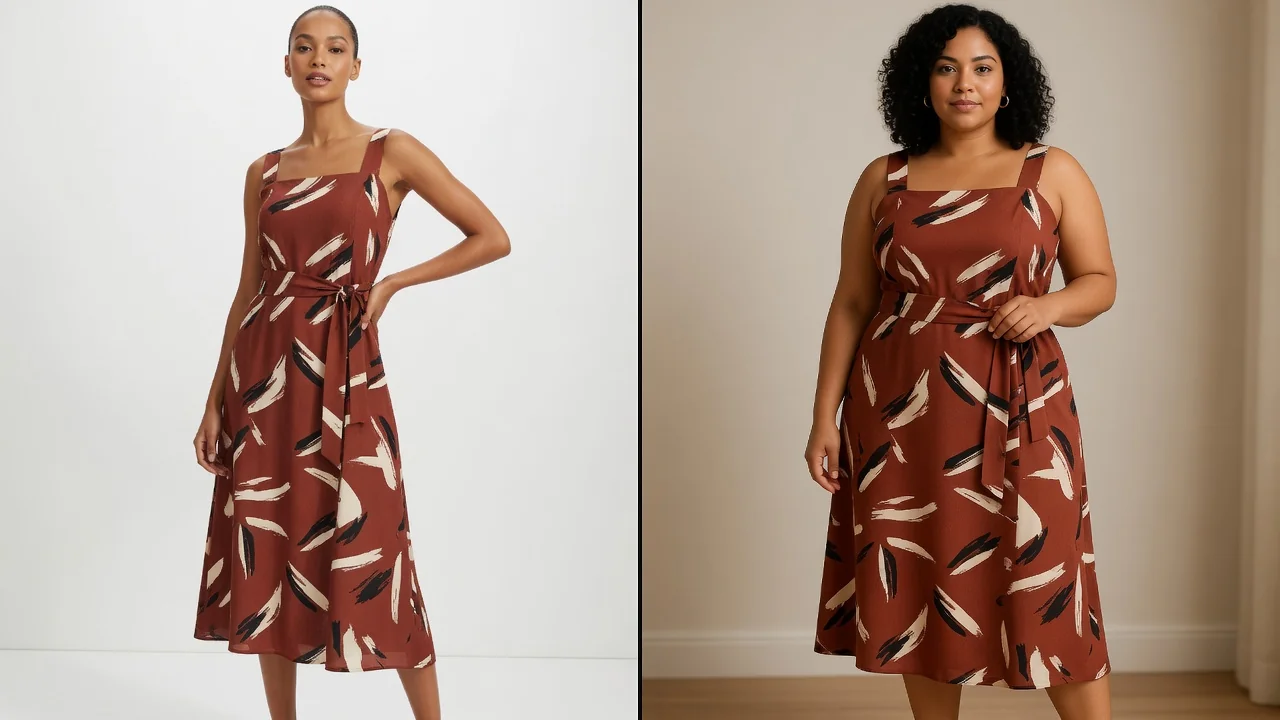
- Product Detail Page (PDP) Multi-Angle Showcases Place try-on images in the 2nd or 3rd slot of your main product gallery. Where possible, show previews across 2-3 different skin tones or body types to lower decision barriers for diverse audiences.
- Cross-Selling Lookbooks Combine top garments with various bottoms (pants, skirts) to generate interactive "Weekly Styling Guides." Seeing complete, cohesive outfits makes buyers much more likely to add full sets to their cart.
- Targeted Email (EDM) & Social Content Send personalized email newsletters featuring full-body try-on banners based on customer browsing preferences. On-model imagery consistently achieves higher click-through rates (CTR) on social media compared to static flat lays.
6. Build On-Site Visuals Effortlessly with ProductShot AI
Creating high-end visual previews doesn't require booking expensive studios or mastering complex 3D modeling software. Inside ProductShot AI, you can execute this entire workflow seamlessly.
ProductShot AI offers two complementary tools tailored specifically for fashion merchants:
- AI Virtual Try-On (Primary: Generate Try-On Visuals) Upload your garment image (flat lay, hanger, or original photo) alongside a target reference photo to generate realistic on-body try-on images in seconds. Advanced garment-locking technology ensures colors, prints, and textures remain accurate and natural on the model.
- AI Fashion Model Generator (Primary: Generate Model Visuals) Only have basic flat lay or hanger shots? The AI Fashion Model Generator lets you choose from a studio model library or upload custom model references to transform flat photos into high-fashion model presentations in one click.
Additionally, ProductShot AI includes an AI Product Photography Generator, an AI White Background Tool, and a Free Background Remover—all backed by a unified credit system and single account login to fulfill every fashion e-commerce visual need.
7. Conclusion
With high return rates continuing to squeeze online apparel margins, realistic visual try-on previews serve as a powerful asset for boosting buyer confidence and curbing impulse returns.
By maintaining a clear positioning ("For visual preview reference only, not a sizing measurement tool") and combining standard size charts with precise SOPs, independent store owners can cost-effectively build studio-grade preview experiences directly on-site.
Ready to transform your apparel storefront? Try ProductShot AI Virtual Try-On today and see your products come to life on real models in seconds!
Further Reading
- NRF & Happy Returns 2024 U.S. Retail Returns Report: Analysis of macro retail return volumes and trends in the United States.
- Coresight Research: The True Cost of Apparel Online Returns: In-depth examination of online apparel return rates, fit issues, and loss minimization strategies.
- Shopify Official Blog: How AR Shopping Boosts Consumer Confidence: Exploring the strategic value of augmented reality and interactive visual shopping for DTC brands.
- Shopify Official Blog: Guide to AR Try-On for Apparel Retailers: Practical insights into how visual try-on experiences align buyer expectations and reduce return friction.
- Google Blog: Google Shopping Virtual Try-On Updates: Overview of platform-level generative AI try-on features and visual shopping implementation.
- McKinsey & Company: Improving Returns Management for Apparel Companies: Analysis of operational improvements and visual expectation management to lower apparel returns.