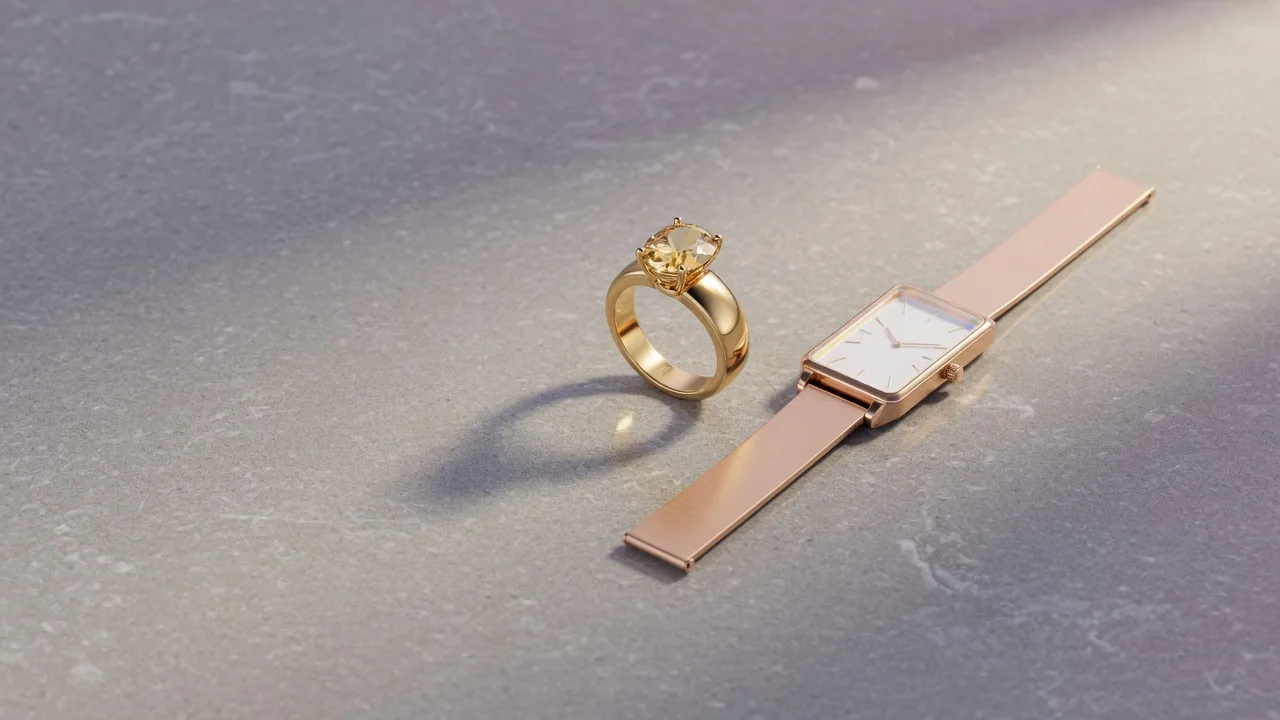
Jewelry product photography step by step: setup, glare control, macro focus, camera settings, shots for rings, watches and glasses, editing and AI try-on.
Jewelry product photography is one of the hardest jobs in e-commerce imaging: the subjects are tiny, highly reflective and judged on detail a shopper can't touch. A ring that looks brilliant on a velvet tray can come out as a grey smear with a reflection of your ceiling in it. This guide breaks the process into practical steps — building a small studio, preparing pieces, controlling glare, getting a whole ring sharp, choosing camera settings — and then covers the specific shots that sell rings, watches and eyewear, how to edit them honestly, and how AI try-on tools can fill the on-body gap without booking a model for every SKU.
Why jewelry product photography carries so much weight
Shoppers start with images. In Baymard Institute's large-scale usability testing, 56% of users' first action on a product page was to begin exploring the product images (Baymard Institute). For jewelry that's doubly true, because the decision hinges on detail: the finish of a band, the cut of a stone, the clasp on a chain.
Size is the other big question. Baymard's testing shows that 42% of users try to work out a product's size from its product-page images (Baymard Institute) — and a pendant photographed alone on white gives almost no clue whether it's 8 mm or 30 mm across.
Context matters too. Baymard also observed that for wearable products, including jewelry and watches, a simple cut-out image on a white background is not enough for users to understand the item, and recommends adding images on a person (Baymard Institute). Market analysts point the same way: Grand View Research's jewelry market report lists virtual try-on tools and high-quality visuals among the digital features strengthening online jewelry sales (Grand View Research).
The takeaway: a jewelry listing needs a clean, sharp product shot, close-ups of detail, at least one image that shows scale, and at least one image of the piece being worn.
The workflow at a glance
- Build a small, controlled shooting area.
- Clean and position each piece.
- Light it softly and manage reflections.
- Lock the camera down and get everything sharp.
- Shoot a standard set of angles per product type.
- Edit for accuracy, not glamour.
- Add scale, on-body and lifestyle images.
The sections below take each step in turn.
Step 1: Build a small studio
Jewelry needs very little space. A table near a window, or a corner of a room with two lamps, is enough.
Table and sweep. A folding table about two feet wide works well. Tape a sheet of white paper or card to the wall behind it so it curves down onto the tabletop without a crease — a seamless sweep. The curve hides the horizon line and keeps the background evenly white. Poster board works for small pieces, though it's less seamless. When a sweep gets marked, cut off the dirty section and pull down fresh paper.
Window position. If you use daylight, put the table at right angles to the window, so the light comes from the side. A window behind the jewelry turns it into a silhouette; a window behind you flattens everything and puts your reflection in the metal. The closer the piece is to a large window, the softer the light.
Tripod. Essential. A tabletop mini tripod is enough for a phone; a full-size tripod with an adjustable head suits a camera. Mark its position with tape so you can rebuild the same setup on another day.
Small helpers. Museum putty or a dab of clear wax to stand a ring upright; fishing line or dental floss to suspend earrings; tweezers; a microfibre cloth; cotton gloves; a blower brush for dust.
Equipment by budget
You can start for almost nothing and upgrade only where it shows in the photos.
Under $50
- A phone you already own, with a mini tripod and a Bluetooth remote or the self-timer.
- White poster board or a roll of white paper for a sweep.
- Two pieces of white foam board and one piece of black card.
- Baking parchment or a frosted shower curtain as a window diffuser.
- Museum putty, tweezers, a blower and a microfibre cloth.
Around $150–$300
- A collapsible light tent with built-in LED strips, or a tent plus one continuous LED panel.
- A sturdier tripod with an adjustable head.
- A clip-on macro lens for the phone, or extension tubes for an existing camera.
- A grey card for white balance.
Higher budget
- An interchangeable-lens camera with a true macro lens (around 90–105 mm keeps a comfortable working distance).
- Two continuous lights with softboxes.
- A circular polarizing filter sized to the macro lens.
- Focus-stacking software and a tethering cable to review frames on a laptop.
The order of upgrades that usually helps most: steady support first, then soft light, then the macro lens. A better camera without good light still produces glare.
Step 2: Prepare every piece
A macro lens reveals what your eyes don't. The final image may show a ring many times its real size, so a faint fingerprint becomes a smear and a speck of lint becomes a boulder.
- Clean and polish each piece just before it goes on set.
- Wear cotton or nitrile gloves while positioning it.
- Blow dust off the piece and the background with a blower, not your breath.
- Check chains for kinks and tangles; lay them in smooth curves.
- Remove price tags and stickers.
- Put the piece in the center of the flat part of the sweep, leaving room around it for reflector cards.
Re-wipe every time you touch the piece. It's faster than retouching dozens of fingerprints later.
Step 3: Light it and control glare
Lighting jewelry is mostly about managing reflections. Polished metal and faceted stones act like small mirrors: they show whatever is around them.
Soft, large sources
The bigger and more diffused the light source relative to the piece, the smoother the reflections. Options:
- Window plus diffuser. A sheet of baking parchment, a frosted shower curtain or thin white fabric over the window softens direct sun.
- One light at 45 degrees. With an LED panel or lamp, place it at about 45 degrees to the piece and add a softbox or diffuser.
- Light tent. A translucent box that surrounds the piece and diffuses light from every side. Put the jewelry inside, light the walls from outside, and harsh reflections and hard shadows largely disappear. It's the simplest fix for highly polished metal and faceted gemstones.
Shape reflections with cards
- White foam board opposite the light bounces brightness back into the shadow side.
- Black card does the opposite: it absorbs light and adds dark lines in metal and contrast in facets. Use it when a polished band looks flat and grey, or when a stone lacks sparkle.
- Move cards, not the camera. Small changes in card angle change what the metal reflects.
Other glare tools
- Polarizing filter. Rotating a circular polarizer on the lens can reduce hot spots on metal and stones without moving the lights.
- Dulling spray. A temporary matte coating for very reflective surfaces like a glass base or prop; test it first and keep it off porous stones.
- No bare on-camera flash. Polished metal throws that hard, concentrated light straight back into the lens. Bounce or diffuse flash, or use continuous light.
If a few hot spots survive, ProductShot's AI product glare remover can reduce glare on reflective products after the shoot. Treat it as a cleanup step, not a substitute for good light.
Step 4: Get the whole piece sharp and set the camera
Depth of field is tiny at macro distances. Focus on the front prongs of a ring and the back of the band blurs.
Use a smaller aperture
A higher f-number (smaller aperture) gives more depth of field. Starting around f/8 to f/11 keeps more of the piece sharp. Very small apertures like f/22 can soften the whole image through diffraction, so check results at 100%.
Focus stacking
When even f/11 isn't enough, take a series of frames from the tripod, moving the focus point slightly from front to back each time, then merge them in focus-stacking software. The result is a single image sharp from the nearest prong to the far side of the band. Many cameras offer automatic focus bracketing to speed this up.
Macro lens or alternatives
A dedicated macro lens is the best tool. On a budget, extension tubes sit between the camera body and an existing lens and let it focus much closer. Modern phones have strong macro modes too, though they work best with steady support and good light.
Camera settings
A locked-off tripod lets you favour quality over speed.
| Setting | Starting point | Notes |
|---|---|---|
| Mode | Manual or aperture priority | Consistency across a collection |
| ISO | 100 | Lowest noise |
| Aperture | f/8–f/11 | More depth of field; stack if needed |
| Shutter speed | Whatever exposes correctly | Tripod plus remote or 2-second timer |
| White balance | Custom from a grey card, or a fixed preset | Auto can shift between frames |
| File format | RAW | Maximum editing latitude; otherwise largest, finest JPEG |
| Focus | Manual, magnified live view | Precise placement on the key detail |
| Flash | Off, unless bounced or diffused | Avoid hard hot spots |
Exposure basics. ISO, aperture and shutter speed balance each other: change one and you usually adjust another. Higher ISO brightens the image but adds grain. A wider aperture (smaller f-number) lets in more light but narrows depth of field. A slower shutter lets in more light but needs a tripod. Use the histogram rather than the screen: a graph bunched to the left suggests underexposure, bunched to the right overexposure. On a white sweep, expose so the background is bright without blowing out the highlights on the metal.
White balance and color. Metal color is a selling point — yellow gold, rose gold and white gold must look like themselves. A custom white balance from a grey card under your actual lights is more reliable than auto, which can drift between shots.
Shooting jewelry on a phone
A recent smartphone can produce excellent jewelry photos if you treat it like a camera:
- Mount it on a tripod. Hand-held macro shots are almost never sharp enough.
- Use the main rear camera rather than the front camera.
- Use macro mode or the telephoto lens from a little further back, rather than pushing the wide lens close and distorting the piece.
- Tap to focus and lock exposure on the piece, then lower exposure slightly so metal highlights don't clip.
- Lock settings between shots for consistency.
- Use the timer so tapping the shutter doesn't shake the phone.
- Use portrait mode with care. Artificial background blur can eat into the edges of thin chains and prongs.
Step 5: Shoot the right angles for each piece
Shoot more than you think you need; it's easier to choose than to reshoot. Then aim for a consistent set per product type.
Rings
- Three-quarter hero view. Ring standing upright, stone toward the camera, turned slightly so the band shows depth.
- Top-down. The setting and stone from above.
- Side profile. Band height, setting height, thickness.
- Inside the band. Engravings, hallmarks, comfort fit.
- On a hand. Scale and how the stone sits on a finger.
- Stacked, if you sell stackers.
The AI ring try-on tool can create the on-hand image from a product photo, which helps when you have dozens of rings and no hand model on call.
Earrings
- The pair together, side by side, to show they match.
- One earring close-up, for the post, hook or clasp.
- Side view, for drop length and depth.
- Worn, to show scale against an ear and jawline.
Necklaces and pendants
- Laid flat in a smooth curve to show the full chain and pendant.
- Pendant macro, front and back.
- Clasp close-up.
- On a bust or person, to show where the chain falls. A chain-length guide on a neckline helps buyers pick a length.
Bracelets
- Closed, in a circle, on its side or standing.
- Open, showing the clasp.
- On a wrist for scale.
Watches
Watches combine jewelry problems with a glass crystal that reflects everything.
- Front, dial-on, at an angle so the crystal doesn't mirror the camera; most catalog watch shots angle the face slightly.
- Crystal reflections. Angle the watch slightly, use a large diffused source or a light tent, and check the crystal for the reflection of your lens or tripod.
- Hands at a consistent time. Many brands set hands so they frame the logo rather than cover it; pick a time and keep it the same across your range.
- Case side and crown.
- Caseback, especially if it's engraved or exhibition glass.
- Clasp and strap.
- On a wrist, for case size against a real arm.
The AI watch try-on tool turns a product shot into an on-wrist image.
Glasses and sunglasses
Eyewear adds a lens problem: lenses reflect the studio, and tinted lenses can look black.
- Front view, square to the camera, temples open.
- Three-quarter view, showing frame depth and hinges.
- Side view, for temple shape and length.
- Folded, for a compact view.
- Lens reflections. Light from above and slightly behind the frame and use black cards to control what the lenses reflect. A polarizer can help with some reflections.
- On a face, which matters most for eyewear: fit and proportion are the purchase question.
The AI glasses try-on tool can put frames on a face from a single product photo.
Composition tips that apply to everything
- Keep the same camera height, angle and framing for every piece in a collection. Document your settings in a simple style guide.
- Leave consistent margins around the piece.
- For hero images, show one item; for styled images, add one or two props at most.
- Vintage pieces with marks or wear should show those honestly in at least one image.
Styled shots: surfaces and props
Product images on white tell buyers what they're getting; styled images tell them how it feels to own it. For those:
- Surfaces: marble, slate, linen, raw wood, a ceramic dish or a velvet tray. Pick textures that contrast with the metal — warm wood under silver, cool stone under gold.
- Props: flowers, stones, a ring box, a perfume bottle, a book. One or two at most, kept slightly out of focus.
- Composition: let props run off the edge of the frame; place the piece off-center on a third line; leave clean space if the image will carry text in an ad.
- Color story: keep props in a limited palette that suits your brand, and repeat it across the collection.
- Light: side light from a window gives texture and soft shadows that suit lifestyle shots better than flat, shadowless tent light.
Keep styled images out of the marketplace main slot and use them in the gallery, on social and in campaigns.
Pre-shoot checklist
- Sweep clean, smooth and evenly lit, with no crease at the curve.
- Tripod on its tape marks; camera level; remote or timer ready.
- Lights or window diffused; white and black cards within reach.
- Grey card shot taken and custom white balance set.
- Piece polished, dust blown off, handled only with gloves.
- Shot list for this product type printed or open on a screen.
- Test frame checked at 100% for sharpness, reflections and dust.
- Histogram checked: bright background, no clipped highlights on the metal.
- Focus-stacking frames taken for any piece that isn't sharp front to back.
- File names follow your product code so editing and uploading stay organized.
Running through this list takes a couple of minutes and saves most reshoots.
Step 6: Edit for accuracy
Retouching should make a photo look like the piece in hand — not better.
Typical edits:
- Exposure and white balance corrections so metal and stone colors are true.
- Background cleanup to pure, even white.
- Dust, lint and fingerprint removal.
- Gentle sharpening for fine detail.
- Removing stray reflections of the camera or room.
- A soft shadow or reflection under the piece so it doesn't float.
Avoid: saturating stones beyond reality, removing genuine inclusions or wear from vintage pieces, or changing metal color. A ring that arrives looking different from its photo is an easy return. Online return rates are high already — ICSC reports an average of 15.2% for online purchases, three times the 5% in-store rate (ICSC).
Background. For the clean product shot, ProductShot's AI white background generator places the piece on white from one upload, with Product Lock keeping its shape, color and markings. Check engravings and small text yourself before publishing.
Templates. Save crop presets with fixed margins and alignment so every new product drops into the same frame.
Write a simple style guide
Consistency is what makes a collection look professional on a category page. Once you've found a setup you like, write it down:
- Camera, lens, focal length and distance to the piece.
- Tripod height and the tape marks on the table.
- Light positions, power settings and diffusers, ideally with a phone photo of the set.
- ISO, aperture, shutter speed, white balance and file format.
- The shot list for each product type (rings, earrings, necklaces, bracelets, watches, eyewear).
- Crop ratio, margins and export size.
- Editing steps and what is never changed — metal color, stone color, genuine wear.
Share it with anyone who shoots or edits for you. Months later, a new piece will still match the rest of the shop, even if it was photographed on a different day.
Marketplace rules and common mistakes
Marketplace rules to check
Marketplaces have their own requirements. Amazon's jewelry style guide — dated 2014, so treat it as background — requires a main image on pure white (RGB 255, 255, 255) showing the actual product rather than a graphic or illustration, and lists as bad examples products shown on a mannequin or a model, non-white backgrounds, out-of-focus images, and gift-box presentations (Amazon Jewelry Style Guide, PDF). The same guide recommends 1,000 pixels or larger for zoom. Check Amazon's current Seller Central help for today's size limits, since the 2014 numbers have been superseded.
In practice that means the on-body and try-on images belong in additional slots, while the main image stays a clean product shot on white.
Common mistakes
| Mistake | What it looks like | Fix |
|---|---|---|
| Reflections of the room or camera | Dark shapes, a lens visible in a band | Light tent, black/white cards, slight angle change |
| Hot spots | Blown white patches on metal | Bigger, softer light; polarizer; lower exposure |
| Part of the piece blurry | Sharp front, soft back | Smaller aperture or focus stacking |
| Dust and fingerprints | Specks and smears at full size | Gloves, blower, wipe before each shot |
| Busy backgrounds | The eye goes to props, not the piece | Plain white or neutral for product images |
| Too many props | Unclear what's for sale | One or two props, only in styled shots |
| No scale reference | Buyer can't judge size | On-hand, on-wrist, on-face or in-hand shots |
| Inconsistent collection | Mixed angles and colors on the category page | Style guide; fixed tripod marks and settings |
A white background may feel plain, but busy backgrounds compete with small items. Black backgrounds are popular for dramatic jewelry imagery, but may not meet marketplace main-image rules — keep them for your own site and social channels.
Step 7: Add lifestyle, try-on and customer photos
Clean product shots answer "what is it?" Lifestyle and on-body images answer "how will it look on me?"
On-body images. A real model is ideal but expensive across a large catalog. AI try-on tools — ring, watch and glasses — can generate on-hand, on-wrist and on-face images from one product photo. Use them for additional images and check every result against the real piece for color, size and detail.
Scale shots. Even without a person, show a pendant beside a coin or a ring in a hand. An AI product-in-hand image is another route to scale.
Customer photos. Research reported by the University of Illinois Gies College of Business found that customer review photos showing products in real-world use help shoppers make better decisions and significantly reduce return rates (Gies College of Business). Encourage buyers to share photos and feature them on product pages and social channels, with permission.
Interactive images. A Tilburg University dissertation combining experiments with real e-commerce data found that interactive images can positively influence purchase decisions, but only under specific conditions, with effects varying by customer type, product price and platform (Tilburg University). In other words, richer imagery helps, but it isn't automatic — test what works for your audience.
Where your jewelry photos go
- Product pages: clean hero on white, multiple angles, detail macros, scale, on-body.
- Social media: a mix of styled, lifestyle, on-body and customer images.
- Ads and email: strong hero and lifestyle shots with clear space for copy.
- Marketplaces: a compliant white main image plus additional images per platform rules.
Plan a shoot to cover all of these at once rather than returning to each piece several times.
Worked example: a gold signet ring
- Setup: white sweep, light tent, one LED panel through the tent wall on the left, a white card right, a narrow black card above to add a dark line along the band.
- Prep: polish, gloves, blower.
- Camera: 100 mm macro, ISO 100, f/11, tripod, 2-second timer, grey-card white balance, RAW.
- Frames: three-quarter hero (focus-stacked from 6 frames); top-down of the engraved face; side profile; inside band with hallmark; on a hand.
- Edit: clean background to white, remove dust, sharpen lightly, keep the gold's real tone, add a soft reflection beneath.
- Gallery: hero on white (main), top, side, inside, on-hand try-on image, lifestyle shot on a dresser.
FAQ
How should beginners photograph jewelry?
Use a tripod, soft diffused light — a window with a diffuser or a light tent — and a white sweep. Clean the piece, shoot at a low ISO and a small aperture, and check sharpness at full size.
Which camera settings suit jewelry?
Start at ISO 100 and f/8–f/11 on a tripod, with whatever shutter speed gives correct exposure, a custom white balance and RAW files. Use focus stacking if the whole piece still isn't sharp.
How do I stop reflections in rings and watches?
Surround the piece with diffused light — a light tent is easiest — and shape what it reflects using white and black cards. Angle watch crystals slightly, and try a polarizing filter for remaining hot spots.
Can I shoot jewelry with a smartphone?
Yes, on a tripod with the rear camera, macro or telephoto mode, locked focus and exposure, and soft light.
Do I need photos of jewelry being worn?
Yes, as additional images. Shoppers struggle to judge size and look from cut-out images alone. Use models, hands or AI try-on images, but keep the marketplace main image as a clean product shot.
What background works best?
White or a light neutral for product pages and marketplaces; textured or dark backgrounds for styled and social images.
Sources
- Baymard Institute, image resolution and zoom: https://baymard.com/research-articles/ensure-sufficient-image-resolution-and-zoom
- Baymard Institute, "in scale" product images: https://baymard.com/research-articles/in-scale-product-images
- Baymard Institute, products on a human model: https://baymard.com/research-articles/human-model
- Grand View Research, jewelry market report: https://www.grandviewresearch.com/industry-analysis/jewelry-market
- ICSC, online vs in-store return rates: https://www.icsc.com/news-and-views/icsc-exchange/brick-and-mortar-shopping-drives-lower-return-rate-than-online-shopping
- Amazon Jewelry Style Guide (PDF, 2014): https://m.media-amazon.com/images/G/01/01/help/images/Jewelry.pdf
- Gies College of Business, review images and returns: https://giesbusiness.illinois.edu/news/2026/05/18/why-review-images-help-reduce-online-shopping-returns
- Tilburg University, product images and purchase decisions: https://www.tilburguniversity.edu/current/news/more-news/how-product-images-influence-online-purchase-decisions-and-when-they-dont