Flat lay clothing photography step by step: rig options, garment prep, side lighting, camera settings, editing and export specs for marketplace-ready photos.
Flat lay clothing photography means arranging a garment on a flat surface and shooting it from straight above, and it is still the fastest route to consistent, sellable apparel images. You don't need a model, a stylist or a large studio — just a clean surface, an overhead camera and light you can control. This guide is about the shoot itself: picking a style, building a rig, preparing the garment, lighting fabric so its texture shows, choosing camera settings, editing without killing the shadow, and exporting files that marketplaces accept.
If you already have flat lays and want to turn them into on-model images, that's a different job, covered in our post on turning flat lay photos into AI fashion model shots. For the wider picture of every apparel image type a store needs, see the clothing e-commerce photography guide. Here we stay at the camera.
What a flat lay is — and why marketplaces accept it
A flat lay is a top-down photograph of one or more items laid on a horizontal surface. Because the camera looks straight down, the whole outline, color and print of a garment fit in a single frame with almost no perspective distortion. That makes it ideal for catalogs, where every SKU should look the same size and shape relative to the frame.
Marketplaces recognise the format. Amazon's apparel imaging guidelines list "flat or laydown" as one of the off-figure image types alongside ghost mannequin and visible mannequin (Amazon Fashion Apparel Imaging Guidelines, PDF). Amazon's UAE clothing style guide is more specific about ranking: it prefers adult clothing on a model, and calls shooting on an invisible ("ghost") mannequin or flat allowed but less preferable options (Amazon.ae Clothing Style Guide, PDF). For some categories flat is the preferred route: the same guide says girls' and boys' clothing should be shot flat or on a ghost mannequin, not on a child model, and that transparent products should be shot flat or on a ghost mannequin too.
So flat lay is not a compromise for every product. For kidswear, accessories, multipacks and many basics it's the expected format; for adult fashion it's a strong secondary image and a perfect source photo for later on-model work.
Choose your style: catalog flat lay or styled flat lay
Before you set anything up, decide what the picture is for.
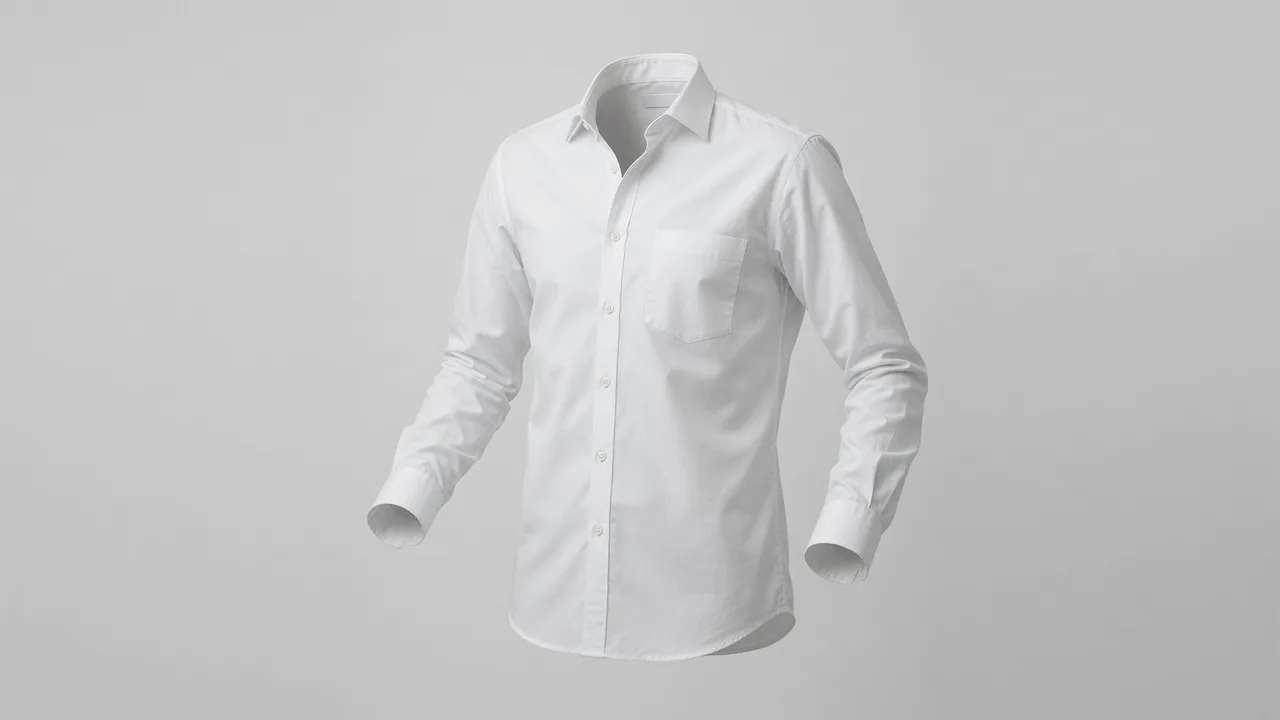
Catalog flat lay (packshot). One garment, centered, on a plain white or light gray surface, fully in frame, lit evenly. This is the image for product detail pages and marketplace listings. The goal is information: true color, true shape, every seam visible.
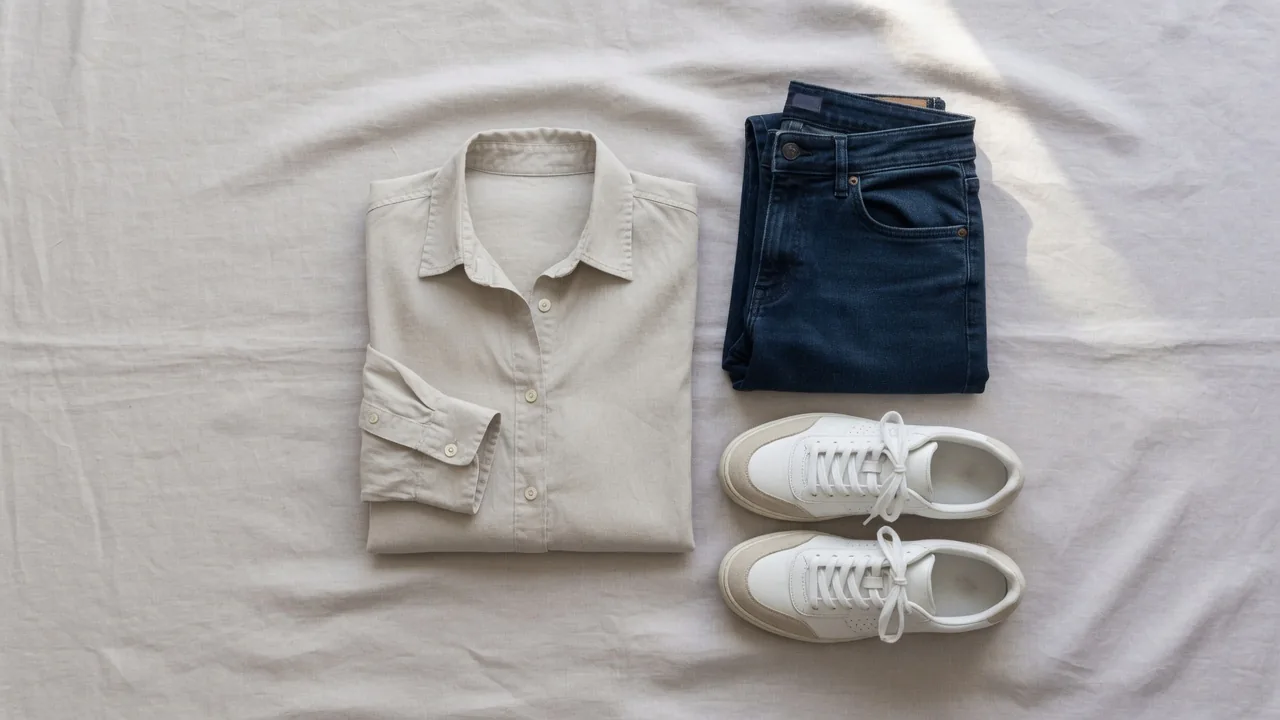
Styled flat lay (still life). The garment with complementary items — shoes, a bag, sunglasses, a plant — on wood, linen, colored paper or concrete. Items can run off the edge of the frame and the composition often follows the rule of thirds. This is for social posts, lookbooks and email. The goal is mood.
Most stores need both. A sensible rule: catalog shots for every SKU, styled shots for hero products and campaigns.
A third variant worth trying is knolling — arranging items in parallel lines and right angles so the frame looks orderly and geometric. It works well for outfit bundles, travel kits and accessory sets.
Flat lay clothing photography setup: building a rig
You need three things: a flat surface, a camera position directly overhead, and consistent light. How you achieve the overhead position decides how repeatable your results are.
| Rig | Cost | Repeatability | Best for |
|---|---|---|---|
| Phone held by hand | Lowest | Poor | Resale apps, quick social posts |
| Camera from a ladder or chair | Low | Poor to fair | One-off styled shoots |
| Tripod with horizontal arm | Moderate | Good | Small shops, steady weekly output |
| Copy stand or dedicated overhead rig | Higher | Excellent | High-volume catalog work |
Hand-held from above
Holding a phone or camera over a garment is quick and free, but each frame is slightly different: the angle shifts, the distance changes and auto-exposure reacts to whatever is under the lens. Fine for a resale listing, hard to make consistent across 50 SKUs.
If you do shoot hand-held, keep the shutter speed fast. A common rule of thumb is a shutter speed of at least one over the focal length — at 50 mm, 1/50 s or faster, and doubling that is safer. That leaves less room to stop down for depth of field, so you'll need more light.
Ladder or step stool
Climbing above a table or floor setup gives more height for larger garments like coats and dresses. Lighting is flexible, but the camera position still drifts between frames.
Tripod with an extension arm
A tripod whose center column or side arm can point straight down is the practical sweet spot. The camera stays locked, so every shot has the same framing, and you can use slower shutter speeds and low ISO. Watch the height limit: long garments may need to go on the floor to fit in frame. Use a bubble level on the camera to keep the sensor parallel to the surface, otherwise rectangles turn into trapezoids.
Copy stand or dedicated table
For volume, a copy stand or purpose-built overhead table holds the camera rigidly and often includes lights on arms and a backlit surface that makes cut-outs easier. It costs more but pays for itself in editing time once you're shooting dozens of garments a week.
The surface
For catalog work, a sheet of white foam board, seamless paper or a matte white tabletop is enough. Avoid glossy surfaces that reflect lights. For styled shots, collect a few textures — light wood, linen, marble-effect vinyl, colored card — and keep them flat and clean.
Preparing the garment
This is where flat lays succeed or fail. A camera shows every crease, hair and loose thread.
Remove wrinkles. Steam or iron the garment right before it goes on the surface. A handheld steamer is faster for most fabrics and won't leave shiny press marks. If a few small creases survive, ProductShot's clothes wrinkle remover can smooth them in the final image, but starting from a well-steamed garment always gives a cleaner result.
Lint-roll last. Do it once the garment is laid out, because handling and steaming attract fibers. Dark fabrics need a second pass under the light.
Tidy the details. Trim loose threads, fasten buttons and zips, and tuck or remove hang tags and price stickers. Decide whether care labels should show; for a catalog image they usually shouldn't.
Shape it. For catalog shots, lay the garment symmetrically: shoulders level, sleeves either straight down or folded at matching angles, hem straight. Tissue paper inside the body adds a little volume so the garment looks worn rather than pressed flat. Use pins or small clips underneath to hold sleeves and hems in place.
Don't overdo it. Clothes pressed perfectly flat can look like paper cut-outs. A little natural drape at the waist or sleeves tells the viewer how the fabric moves.
For styled shots, allow more freedom: a sleeve folded across the body, a cuff turned up, the garment laid as though someone just stepped out of it. Add one or two supporting accents — a watch, a pair of shoes, a coffee cup — rather than a dozen.
Prep checklist
- Steamed or ironed, no fold lines from packaging.
- Lint-rolled after laying out.
- Threads trimmed; tags hidden or removed.
- Buttons and zips closed.
- Symmetrical for catalog; relaxed folds for styled.
- Tissue or padding where the garment needs body.
Lighting a flat lay
Light decides whether a garment looks like cotton, silk or plastic.
Daylight for styled shots
A big window gives soft, flattering light that suits styled flat lays. Diffuse it with a white curtain or diffusion panel — white is the only diffuser color that won't tint the light. Daylight changes color and strength through the day, so shoot styled sets in one session and add any warm or cool mood in editing rather than relying on the clock.
Artificial light for catalog shots
For consistency across SKUs, use continuous LED panels or strobes set to a neutral daylight temperature (about 5500 K) and soften them with softboxes or diffusion. Two lights at opposite sides of the surface, angled down at roughly 45 degrees, give even coverage with soft shadows. Even lighting also makes cut-outs easier later.
A separate guide to product photography lighting goes deeper on modifiers and placement.
Side light for texture
Shoppers can't touch the fabric, so the photo has to show it. Light coming across the surface at a low angle — raking light — throws tiny shadows into the weave and makes knits, denim, corduroy and linen read clearly. Keep the key light off-axis rather than directly beside the lens; a light right next to the camera flattens texture. A pattern that works well: one main light low on one side, a large white card or second, weaker light on the opposite side to lift the shadows.
Handling problem fabrics
- Black garments: add light and expose a little brighter, then check that detail survives in the shadows.
- White garments: expose so the fabric stays just below pure white, so it doesn't melt into a white background.
- Satin and sequins: use bigger, softer sources and move them until hot spots disappear.
- Sheer fabrics: place a piece of matching-tone card underneath to show the garment's outline.
Camera settings for overhead garment shots
A locked-off camera on a tripod or stand lets you choose the cleanest settings.
| Setting | Starting point | Why |
|---|---|---|
| ISO | 100–200 | Lowest noise |
| Aperture | f/8–f/11 | Whole garment sharp; near most lenses' sharpest range |
| Shutter speed | Whatever gives correct exposure (tripod) | Low ISO and small aperture need time |
| Focal length | 35 mm or longer (full-frame equivalent) | Less edge distortion |
| White balance | Custom, from a gray card | Accurate color |
| File type | RAW | Room to correct exposure and color |
| Focus | Manual or single-point on the garment's center | Same focus every frame |
Focal length. Wide lenses stretch the edges of the frame, which makes sleeves and hems look longer than they are. A standard or short telephoto lens, raised high enough to fit the garment, keeps proportions true.
White balance. Put a gray card on the surface, set a custom white balance from it, then remove it. Color accuracy is not cosmetic for apparel: online purchases are returned far more often than in-store ones — ICSC reports an average online return rate of 15.2%, three times the 5% rate for in-store purchases (ICSC) — and a garment that arrives a different shade from its photo is an easy return.
Tethering. Connecting the camera to a laptop shows each frame large as soon as it's taken, so you catch lint, creases and focus problems before the garment is packed away. It also lets you trigger without touching the camera.
Editing flat lays without making them look fake
Cut out the background — even on white
Shooting on white doesn't guarantee pure white in the file. Lens vignetting darkens the corners and slight exposure differences tint the backdrop. Removing the background and placing the garment on true white (RGB 255, 255, 255) is more reliable than pushing brightness until the background clips — which also tends to wash out pale fabrics and erase the edge between garment and backdrop. Cut first, then adjust contrast on the garment alone.
ProductShot's flat lay tool is built for this kind of garment image, and the free background removal tool in the browser handles quick cut-outs without a login or credits.
Leave a soft shadow under the garment
A garment with no shadow at all floats in space. A soft contact shadow underneath makes it look real and gives the image depth. Over-clean edits are one of the most common flat lay mistakes.
Keep the color honest
Avoid heavy saturation or vibrance boosts. A slightly punchier image might grab attention in a feed, but it misrepresents the product. Compare the edited image side by side with the real garment under daylight before you export.
Check the edges
Zoom to 100% and look at the outline. Fuzzy edges, halos and chopped-off fibers on knitwear show up immediately on a white background.
Export specs for marketplaces
Different channels want different files. A few verified numbers for clothing:
- Amazon (US apparel guidelines): main images on a pure white background (RGB 255, #FFFFFF), the product filling at least 85% of the image, clothing images at least 1,600 pixels tall and no more than 10,000 pixels on the longest side (Amazon Fashion Apparel Imaging Guidelines, PDF).
- Amazon.ae clothing guide: at least 1,000 pixels on one side for zoom, white background, front view, an aspect ratio close to 3:4, and at least 85% of the image area filled (Amazon.ae Clothing Style Guide, PDF).
- Your own store and social: export large masters (2,000 px or more) and create square and vertical crops from them for feeds.
A practical habit: keep one high-resolution master per garment, then export channel-specific versions from it rather than re-editing each time. Compress the final JPEGs so pages load quickly without visible artifacts.
Flat lay vs ghost mannequin vs on-model
| Format | Shows | Effort | Use it for |
|---|---|---|---|
| Flat lay | Full outline, print, color | Low | Every SKU, kidswear, accessories, multipacks |
| Ghost mannequin | 3D shape, neckline, fit hints | Medium | Tops, dresses, outerwear (secondary images; not for Amazon US adult apparel main images) |
| On-model | Fit, drape, scale on a body | High | Hero images for adult fashion; Amazon US adult apparel main images should be on a model |
Flat lays alone don't tell shoppers everything. Baymard's usability testing observed that for wearable products, including apparel and accessories, a plain cut-out image against white is often not enough for users to understand the product, and recommends showing it on a human model as well (Baymard Institute). Shoppers also lean heavily on other evidence: PowerReviews found that 77% of consumers look at ratings and reviews when deciding whether to buy clothing, and 59% seek out photos and videos from other buyers (PowerReviews). Research reported by the University of Illinois Gies College of Business found that customer review photos showing products in real-world use help shoppers make better decisions and significantly reduce return rates (Gies College of Business). Your studio flat lays set the baseline; real-world images, from models or customers, fill in the rest.
The efficient approach is to shoot a clean flat lay for every garment, then extend it. ProductShot's AI fashion model generator can place a garment on a model from a product photo, which is cheaper than booking a model for every SKU. Product Lock is designed to keep the garment's color, logo and print consistent, but compare each result to the real item before publishing.
Common mistakes
- Wide-angle lens close to the garment — distorted proportions.
- Lighting that changes between shots — a catalog that looks patchy.
- No gray-card white balance — colors that drift from SKU to SKU.
- Ironing too flat — garments that look like paper.
- Erasing the shadow — garments that float.
- Camera not level — square garments that look tapered.
- Lint and threads found after the shoot — extra retouching, or a reshoot.
A seven-step workflow
- Prep: steam, shape, lint-roll, trim threads, hide tags.
- Set up: surface, overhead camera, level check, lights at matching angles.
- Calibrate: gray card for white balance; test exposure.
- Shoot: remote or tethered trigger; one full view, then details (collar, cuff, fabric, label if needed).
- Cut out: remove the background, keep a soft shadow.
- Check: color against the real garment, edges at 100%, background at 255.
- Export: master file plus channel versions; compress for web.
Worked example: a denim jacket
- Prep: steam the body and sleeves, button it fully, fold the sleeves inward at matching 45-degree angles, slip tissue under the chest.
- Rig: tripod arm overhead, camera leveled, 50 mm lens, jacket on white foam board.
- Light: one softbox low on the left to rake across the twill, a white reflector on the right.
- Settings: ISO 100, f/9, shutter around 1/8 s on the tripod, custom white balance from a gray card, RAW.
- Shots: full front; back; close-up of the collar and buttons; a macro of the denim weave; the inside label if it carries useful information.
- Edit: cut out, place on 255 white, keep the soft shadow, check the indigo against the real jacket in daylight.
- Export: 2,400 × 3,200 master (3:4), then a 2,000 × 2,000 square for the store grid.
From the front flat lay you can then create an on-model version and a styled scene without another shoot.
FAQ
What gear do I need to start?
A camera or recent smartphone, a tripod that can point straight down, a white matte surface and at least one soft, steady light. A gray card and a steamer make a large difference for very little money.
Which backdrop suits marketplace listings?
Plain white. For Amazon apparel main images, the background must be pure white (RGB 255). Textured surfaces belong in styled social images.
Can a phone produce professional flat lays?
Yes, if it's mounted on a tripod, lit consistently and set to lock exposure and focus. Hand-held phone shots vary too much for a catalog.
How do I stop shirts looking flat and lifeless?
Add tissue paper inside the body, leave a little natural drape at the waist and sleeves, and use side light so the fabric texture casts small shadows.
Should I keep or remove the shadow?
Keep a soft contact shadow. Removing it completely makes garments look like they're floating.
Is a flat lay enough on its own?
For kidswear and accessories it often is. For adult fashion, pair it with ghost mannequin or on-model images so shoppers can judge fit.
What aspect ratio should I export?
Keep a high-resolution master, then export what each channel prefers — for example close to 3:4 for Amazon.ae clothing, and square crops for store grids.
Sources
- Amazon Fashion Apparel Imaging Guidelines, Spring 2021 (PDF): https://m.media-amazon.com/images/G/01/SPIS/Fashion_Apparel_Imaging_Guidelines_Spring_2021.pdf
- Amazon.ae Product Listing & Content Guide, Clothing (PDF): https://m.media-amazon.com/images/G/39/help/Clothing_Styleguide_EN_AE._CB1198675309_.pdf
- ICSC, online vs in-store return rates: https://www.icsc.com/news-and-views/icsc-exchange/brick-and-mortar-shopping-drives-lower-return-rate-than-online-shopping
- Baymard Institute, products on a human model: https://baymard.com/research-articles/human-model
- Gies College of Business (University of Illinois), review images and returns: https://giesbusiness.illinois.edu/news/2026/05/18/why-review-images-help-reduce-online-shopping-returns
- PowerReviews, clothing purchase considerations: https://www.powerreviews.com/research/apparel-shopping-trends-2023/key-purchase-considerations/