Skincare product photography guide: lighting glass, metal and cream, texture swatches, a full shot list, claim-safe retouching, and marketplace-ready files.
Skincare product photography looks easy until the first test shot: the glass bottle reflects every lamp in the room, the foil logo goes black, the cream looks like paint and the serum looks like water. Skincare buyers judge both with their eyes and with suspicion — they want products to look clean, premium and effective, and they distrust anything that looks too perfect. This guide covers how to light the materials skincare comes in, the three families of images a brand needs, a full shot list, why your photos can count as product claims, how far retouching should go, and how to deliver files that work on your store and on shopping platforms.
Why skincare is a materials problem
Most skincare packaging combines several difficult surfaces in one product:
- Clear or amber glass that reflects and refracts.
- Frosted glass or plastic that goes flat and grey without careful light.
- Metal and metallic caps that mirror the room.
- Foil stamping and embossing that only show when light skims across them.
- White jars holding white cream — low contrast that's easy to overexpose.
- The formula itself — texture is what shoppers want to see, and it changes under hot lights.
Treat each material as its own lighting problem first, then combine the solutions into one set.
Lighting each material
Clear glass and transparent plastic
You don't light glass directly — you light what it reflects. Use large, soft sources just outside the frame and let the bottle reflect them as clean, smooth highlights. Then place black cards (or black foam board) at the sides to create dark edges that outline the bottle against a light background. A narrow strip light on each side gives crisp vertical highlights that describe the shape.
For depth, put a soft gradient behind the bottle — a light shining on the background, brighter in the middle and falling off to the edges. Amber or colored glass benefits from a little light behind or below it so the color glows rather than going muddy.
Frosted glass
Frosted finishes are forgiving, but they flatten fast. A gentle backlight or rim light brings out their translucency and makes them look like the premium packaging they are.
Metal caps and pumps
Shiny metal reflects whatever is closest — walls, stands, your sleeve. Surround it with controlled white and black cards so the reflections read as deliberate gradients rather than clutter. Rotate the cap a few degrees and watch how the reflection changes; small moves matter.
If a few hot spots survive the shoot, ProductShot's AI product glare remover can reduce glare on reflective packaging afterward. Get as much right on set as possible, though — retouching is slower than moving a card.
Foil and embossing
Foil stamps and embossed logos need light raking across the surface at a low angle. Head-on light flattens them, and foil can turn completely dark when it reflects a black part of the room. Move a small light or white card around until the foil catches it.
Creams, gels, serums and oils
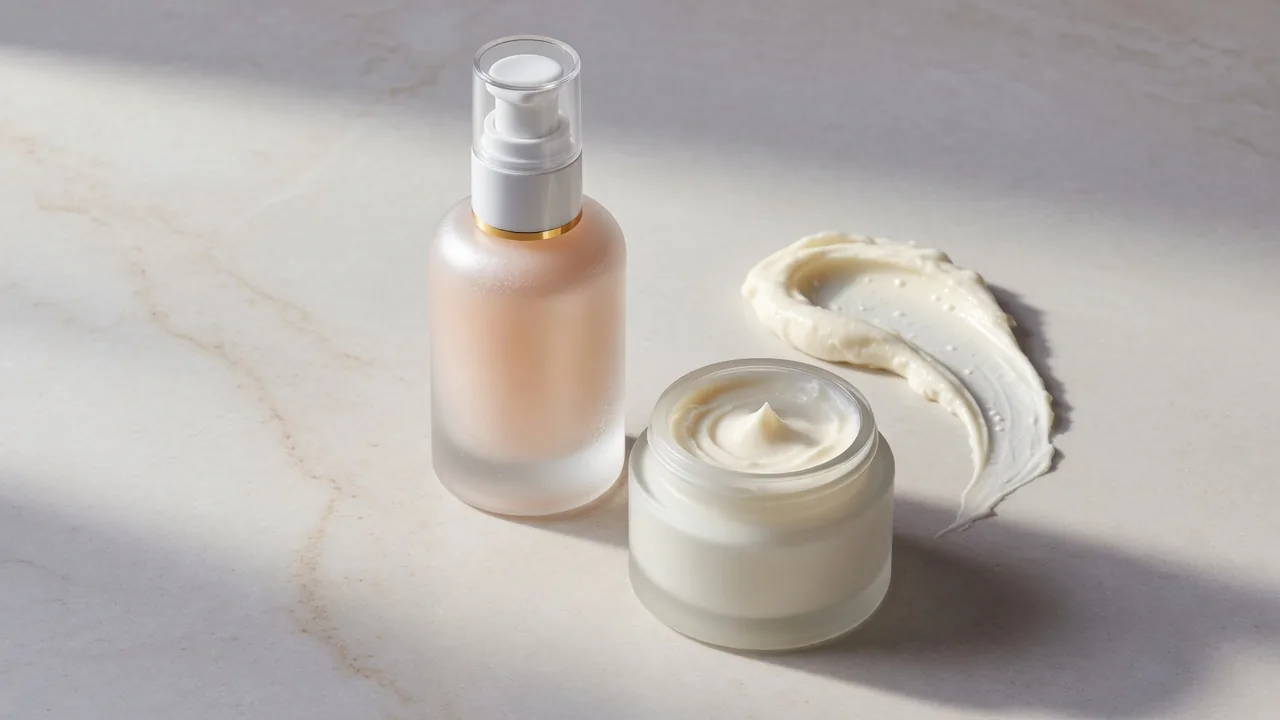
Texture sells. A swirl of cream that holds a peak, a gel that catches light, a bead of serum that sits on a surface — these let shoppers imagine the product on their skin.
- Use side or back light to reveal gloss and body.
- Have more product than you think you need; getting a clean, repeatable swatch often takes many attempts.
- Work fast with fresh product. Under hot lights, creams can skin over, emulsions can separate and gels can weep.
- Use a clean spatula, glass plate or acrylic sheet for swatches, and wipe surfaces between attempts.
- Shoot oils and serums against a contrasting background so the clarity and color are visible.
White on white
A white jar of white cream against a white background needs contrast to read. Use a light grey background, a shadow or a darker card at the side to separate the jar from the background, and expose so the cream holds detail rather than clipping to pure white.
The three families of images in skincare product photography
Sort every shot into one of three groups before the shoot.
| Family | What it includes | Where it's used |
|---|---|---|
| Clean product shots | Each SKU or a group, plain backdrop, the same angle and shadow every time | Store listings, marketplace slots, wholesale catalogs |
| Texture and detail | Formula smears and drops, pumped product, macro shots of labels and raw materials | Product page galleries, newsletters, social ads |
| Lifestyle and editorial | Bathroom or vanity scenes, hands, faces, routine shots | Homepage, campaigns, press, social |
New labels tend to stop after group one, and their product pages end up feeling sparse. Established brands sometimes over-invest in the third and end up with inconsistent product pages. Almost every brand needs the first two groups done well before the third.
When skin enters the frame
Showing the product on a person changes the job: it becomes beauty photography, with casting, makeup, skin-friendly lighting and careful retouching. It's also valuable. Baymard Institute's usability research found that for wearable products including cosmetics, a simple cut-out image on a white background is often not enough for users to understand the product, and recommends showing it in use on a person (Baymard Institute).
A practical middle ground is hands: a hand holding the bottle, pumping a serum or applying cream to the back of the other hand shows scale and use without a full beauty shoot. The AI product in hand generator can create in-hand images from a product photo when you don't have a hand model available.
A complete skincare shot list
For each product:
- Front, straight on, on white or a light neutral — the main image.
- Three-quarter view to show depth and the cap or pump.
- Back with ingredients and directions legible.
- Open product — cap off, pump visible, jar open.
- Texture swatch of the formula alone.
- In hand for scale.
- In use — application on skin or a routine moment.
- Lifestyle — on a vanity, bathroom shelf or in a travel bag; the AI lifestyle product photo generator can build these settings around a product photo.
- Line-up or set if it's sold in a routine or kit.
- Detail of foil, embossing or special packaging features.
Add ingredient still-life shots only if the ingredient story is accurate — see the claims section below.
When a photo becomes a product claim
Images aren't neutral. A picture can imply a promise as clearly as words can.
The cosmetic-versus-drug line
In the United States, whether a product is legally a cosmetic or a drug depends on its intended use, and different laws apply to each; the FDA notes that firms sometimes violate the law by marketing a cosmetic with a drug claim (FDA). The FDA's labeling guidance explains that if a product makes claims to treat or prevent disease, or to affect the structure or function of the body — including the skin — it's a drug under the law. It also notes that cosmetic labeling doesn't need FDA approval before products go on sale (FDA) — which puts the responsibility on the brand.
On set, that means watching for:
- Words in the frame. A prop card or styled note reading "erases wrinkles" or "heals acne" puts a drug-style claim straight into the image.
- Side-by-side skin results. Comparing skin before and after use is a performance claim; only use it with evidence that supports what viewers will conclude.
- Sunscreen visuals and captions. The FDA says sunscreens can't be labeled "waterproof" or "sweatproof," or called "sunblock," because no sunscreen is truly waterproof (FDA). A beach image captioned "waterproof all day" creates a problem the label avoided.
- Botanical styling. A set full of botanicals tells viewers what's inside the bottle. If the formula's key ingredients aren't what the props imply, rethink the set.
This isn't legal advice; have your regulatory adviser review claims. The photographer's role is to shoot with approved copy and flag anything that reads like a promise.
Filters and retouching
Regulators outside the US have acted on this, too. In 2021, the UK's Advertising Standards Authority ordered beauty brands and influencers to stop using filters in social media ads that would exaggerate a product's efficacy (Cosmetics Business).
A sensible line for retouching:
- Fine: removing dust, fingerprints and scratches on packaging; straightening a label; fixing color to match the real product; cleaning the background.
- Not fine: smoothing skin to remove pores for a product that claims to "refine pores"; making a cream glossier or a serum clearer than it is; brightening skin to imply a whitening or glow effect; changing the formula's color.
The test is simple: when the customer opens the product, it should look like the photo.
Shoot with the final label
One of the most common and costly mistakes isn't technical. A brand shoots its hero images with sample packaging, and a month later the label changes — a claim gets reworded, a certification badge is added, ingredients are reordered. Every front-facing image is now wrong.
Before the shoot, confirm the label is the version going to retail. If it isn't, agree in writing what will be swapped later, and shoot clean units that make compositing easier. Reshooting one SKU is cheap; relabeling a whole line in post is not.
This applies to AI-generated images too. ProductShot's Product Lock is designed to keep packaging text, logos and labels as they appear in your upload, so the source photo must show the final label. Always check packaging text in generated images before publishing.
Planning the shoot
- Brief. Decide where images will be used — product pages, marketplaces, retailer portals, social, print. The destinations dictate the crops, the export sizes and any empty space reserved for copy.
- A per-product plan. Every product, every angle, every group shot — plus a list of claims that appear on the packaging.
- Samples. Two or three clean, unscuffed units per product, and extra product for anything you'll dispense.
- Styling. A restrained palette and one or two surfaces usually keep skincare looking premium. One strong lighting idea beats ten.
- Test each surface first. Solve the bottle, the cap and the formula one at a time, mark every stand's position, and reuse that exact setup for the whole range.
- Capture and review. Check images on a large screen as you shoot; correct on set rather than in post.
- Retouch and deliver. Cleanup, color matched to the real packaging, exports at the sizes in the brief.
Making a whole range look like one family
A beautiful hero shot is easy; twelve products that look like a family is harder. Lock the tripod height, the focal length, where each light stands and which way shadows fall, and don't change them between products. Put a color reference card in a test frame for each lighting setup so your brand colors stay true across screens. Write the setup down so a new product shot six months later still matches.
Getting more from one good photo
A full studio day covering clean shots, textures and lifestyle sets isn't always possible for a small brand. A practical alternative is to shoot one excellent, accurate photo of each product, then build from it:
- Clean listing image: the AI white background generator places the product on white.
- Skincare-specific scenes: the AI skincare product photography generator creates vanity, bathroom and spa-style scenes around your product.
- In-hand scale shots: generated from the same product photo.
New ProductShot accounts get 10 free credits with no card required, and each generated image costs 10 credits. Keep real texture swatches and any skin images authentic — generated scenes should show the product as it is, and they shouldn't imply results.
Delivering files for stores and shopping platforms
- Size: export a large master (at least 2000 px on the long side), then crop per channel.
- Google Shopping: Google has announced a minimum of 500 × 500 pixels for all product images from January 31, 2027, and recommends 1500 × 1500 pixels or more for best performance (Google Merchant Center Help). The main image must also avoid promotional text, watermarks and overlays added in post-production, and images made with generative AI must carry metadata identifying them as AI-generated.
- SEO: use descriptive file names and alt text, and favor sharp, high-quality images; Google notes that high-quality photos appeal to users more than blurry, unclear ones (Google Search Central).
- Color: export in sRGB and compare with the physical packaging.
Common mistakes
| Mistake | Result | Fix |
|---|---|---|
| Lighting glass directly | Hot spots, no shape | Light the reflections; use black edge cards |
| Flat light on white jars | Jar disappears into background | Grey background or side shadow for separation |
| Foil shot head-on | Logo goes dark | Rake light across the foil |
| Old product for swatches | Separated, skinned or dull texture | Fresh product, work quickly |
| Claim words in props | Implied drug claims | Approved copy only; review shot list |
| Over-retouched skin | Misleading results | Keep real skin texture |
| Pre-final labels | Images go out of date | Confirm label before the shoot |
| Inconsistent setups | Line looks mismatched | Fixed camera and light positions; written setup |
Worked example: a vitamin C serum
- Product: 30 ml amber glass dropper bottle, gold foil logo, white cap.
- Main image: bottle front-on, two strip softboxes left and right, black cards beyond them for dark edges, soft gradient on a pale background; the foil caught with a small card angled from above.
- Texture: three drops on clear acrylic, backlit to glow orange, shot at a low angle.
- In hand: dropper above a palm, showing bottle size.
- Lifestyle: on a marble vanity with a towel and a plant, morning light.
- Claims check: no "brightening" props or before-and-after skin; caption copy matches the approved label.
- Delivery: 2400 × 2400 master in sRGB, square exports for the store and shopping feed, descriptive file names and alt text.
FAQ
How do I photograph glass skincare bottles without glare?
Light what the glass reflects rather than the bottle itself: big soft sources just outside the frame, black cards for clean edges, and a gradient background for depth.
Is a phone at home good enough?
Yes, for early social content: a window with a diffuser, a white surface, a tripod and some white and black card. For product pages, take extra care with reflections, label legibility and color accuracy.
Do skincare product pages need a model?
Not for the main image. Hands and in-use shots help shoppers understand scale and texture, and on-person images can help for cosmetics — but plan them carefully, because skin can imply results.
Can product photos cause legal problems for a skincare brand?
They can if images or captions imply claims the product can't support, or claims that make a cosmetic look like a drug. Review the shot list and copy with your regulatory adviser before the shoot.
How much retouching is acceptable?
Clean the packaging and background and correct color. Don't alter the formula's look or smooth skin in ways that imply results.
What's the most important shot for skincare?
After the clean main image, the texture shot. Shoppers can't touch or smell the product online, so a believable swatch is the closest substitute.
Sources
- FDA, Is It a Cosmetic, a Drug, or Both?: https://www.fda.gov/cosmetics/cosmetics-laws-regulations/it-cosmetic-drug-or-both-or-it-soap
- FDA, Cosmetics Labeling Claims: https://www.fda.gov/cosmetics/cosmetics-labeling/cosmetics-labeling-claims
- FDA, OTC sunscreen requirements Q&A: https://www.fda.gov/drugs/understanding-over-counter-medicines/questions-and-answers-fda-announces-new-requirements-over-counter-otc-sunscreen-products-marketed-us
- Cosmetics Business, ASA ruling on misleading filters: https://cosmeticsbusiness.com/beauty-brands-and-influencers-banned-from-using-misleading-filters-rules-asa--174232
- Baymard Institute, products on a human model: https://baymard.com/research-articles/human-model
- Google Merchant Center Help, image link: https://support.google.com/merchants/answer/6324350?hl=en
- Google Search Central, image SEO: https://developers.google.com/search/docs/appearance/google-images