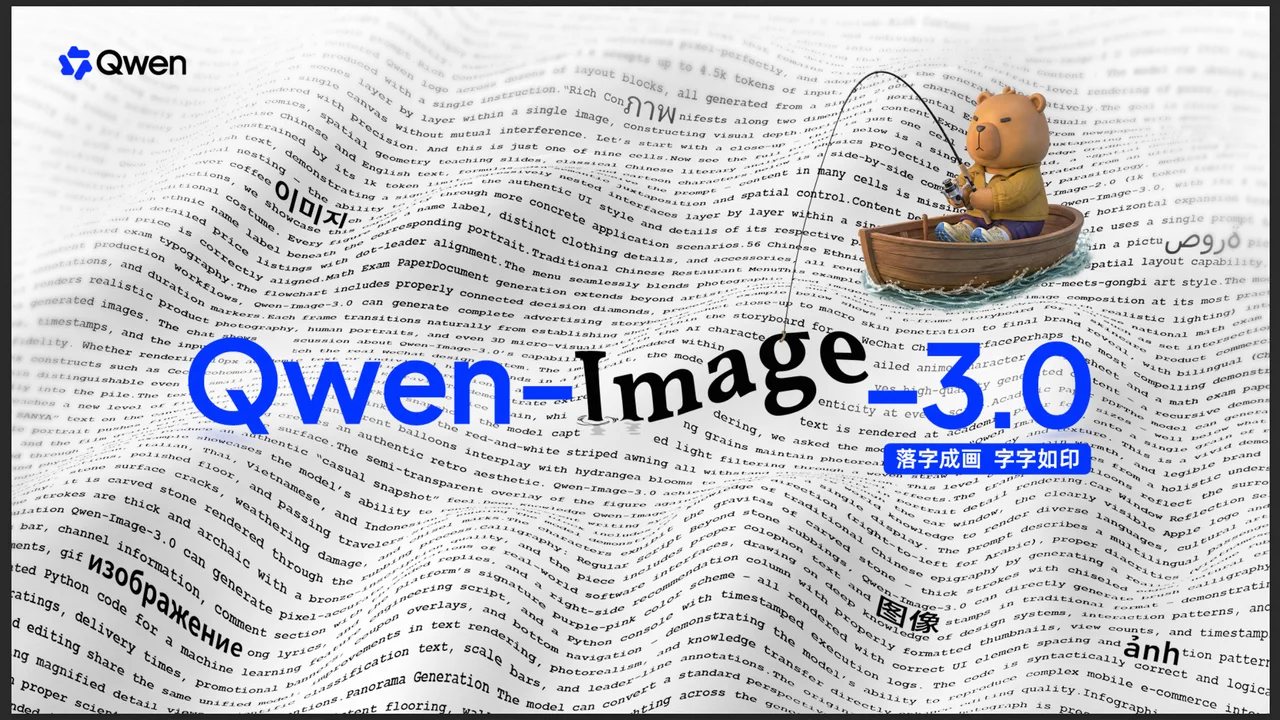
Explore Qwen-Image 3.0 rich prompts, small-text rendering, multilingual output, realistic textures, UI mockups, and image restoration.
You've seen AI-generated images that look impressive at first glance — until you zoom in and the text is gibberish, the details fall apart, and the layout makes no sense. Qwen-Image 3.0 is the first image generation model I've tested where that zoom-in moment actually makes you more impressed, not less. It renders 10px text legibly, handles 4,500-token prompts without breaking a sweat, and knows 12 languages natively. Let me walk you through what that actually means in practice.
What Makes Qwen-Image 3.0 Different from Every Other Image Generator?
Most image generators optimize for one thing: making pictures that look good. Qwen-Image 3.0 optimizes for something harder — making pictures that are actually useful. The difference matters when you need an image that works in a real product, a real publication, or a real presentation.
The Qwen team distilled this into a single Chinese character: 实 (shí), meaning "real" or "substantial." That philosophy plays out across three specific capabilities:
Rich content — the model handles prompts up to 4,500 tokens, which means you can describe genuinely complex visual layouts in a single instruction.
Authentic details — text renders clearly down to 10 pixels. Skin pores, hair strands, fabric textures — all captured at a level that approaches photographic realism.
Deep knowledge — native rendering across 12 languages, plus the ability to simulate real UI interfaces, generate academic figures, and even pull current information from the internet.
These aren't marketing bullet points. Each one solves a specific failure mode that has plagued image generation since the beginning. Let me show you exactly what I mean.
Rich Content: How Much Can It Actually Fit in One Image?
The Horizontal Test: One Image, Nine Complex Infographics
Here's a math lecture slide that Qwen-Image 3.0 generated. Clean layout, accurate symbols, well-organized content — impressive on its own.
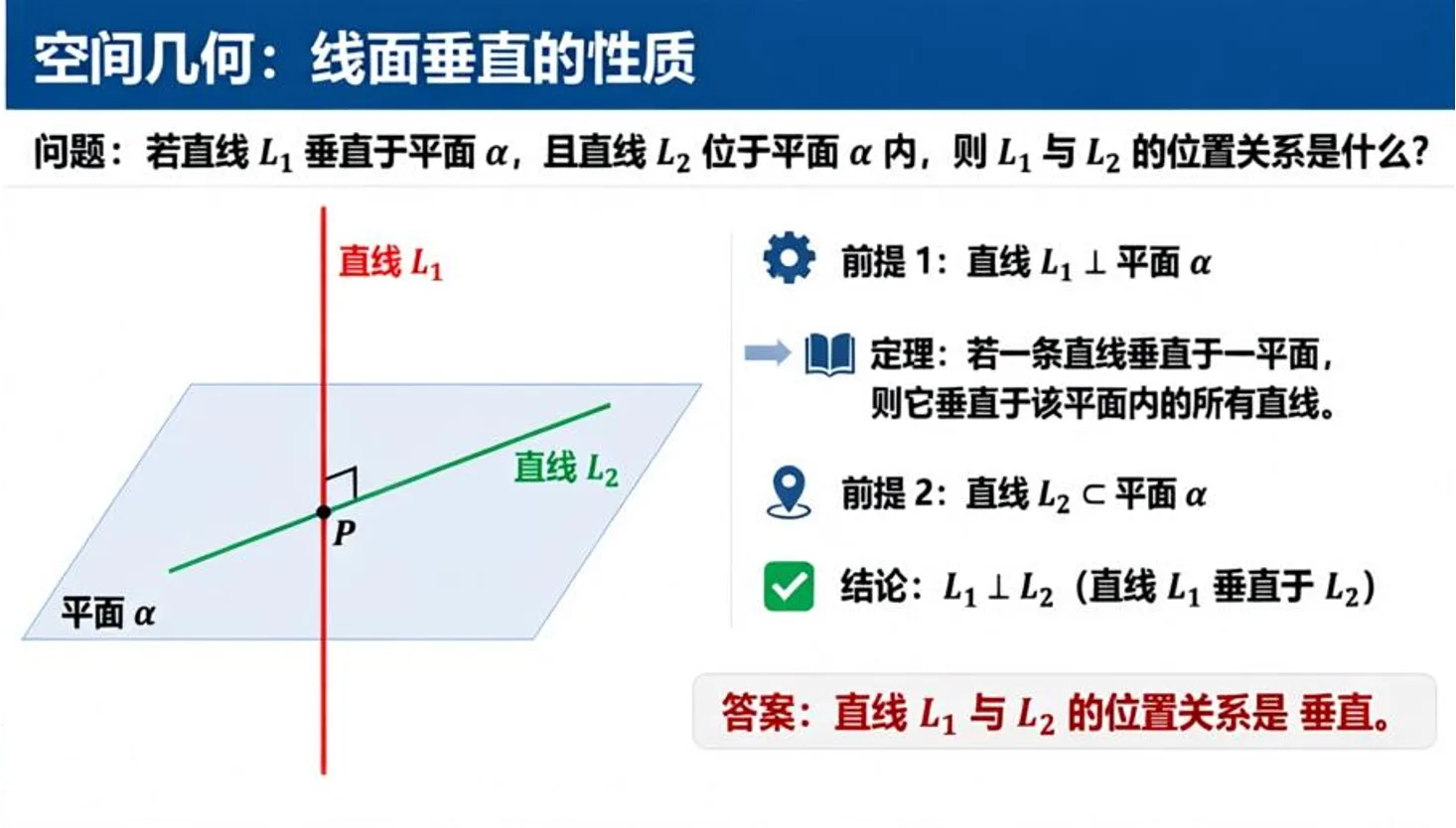
But this is only one-ninth of the actual output. The model generated an entire 3×3 grid of complex infographics in a single pass — not by stitching nine separate images together, but by rendering the whole thing at once.
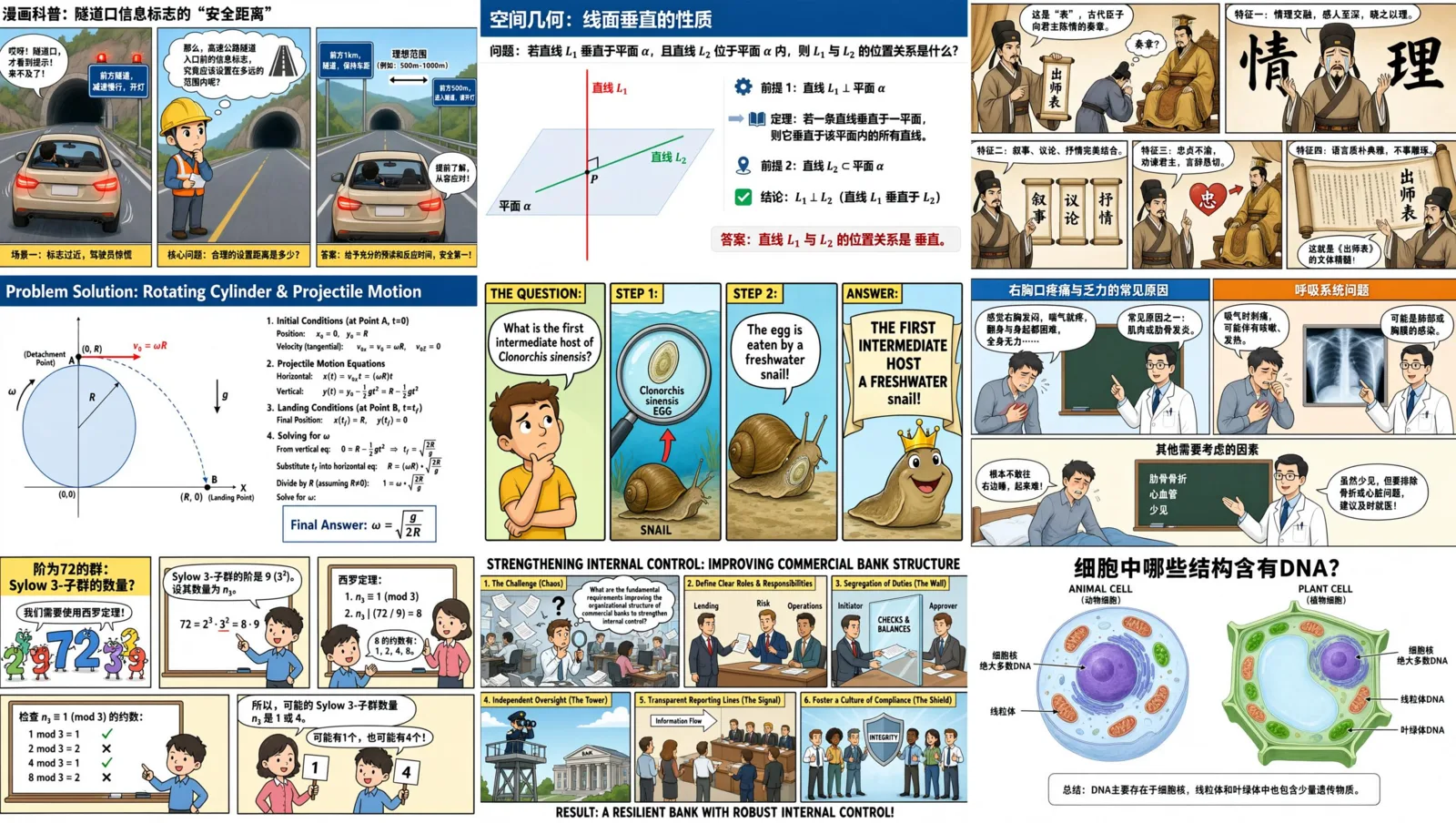
Each cell contains a completely different subject: tunnel safety comics, spatial geometry lessons, literary analysis of classical Chinese texts, physics projectile motion, biology parasitology explainers, medical diagrams, abstract algebra theorems, banking management infographics, and cell DNA structure comparisons. Every cell has precise bilingual text, formulas, charts, and illustrated characters.
The instruction that describes this entire image is 3,700 tokens long. Qwen-Image 3.0 handled it without any degradation in quality because its prompt limit sits at 4,500 tokens — nearly double what most competing models accept.
This is what "rich content" means in practice: the model can lay out multiple complex concepts on a single canvas, position them correctly relative to each other, and render every element without interference between adjacent cells.
The Vertical Test: Four Layers Deep, One Instruction
Horizontal expansion tests how many things you can put next to each other. Vertical depth tests how many things you can put inside each other — and Qwen-Image 3.0 handles that equally well.
In this single generated image, four UI layers nest inside each other: a VSCode editor → a Qwen Chat interface → a WeChat conversation → a pour-over coffee poster. Each layer preserves its authentic visual style, complete with realistic UI elements and typography.
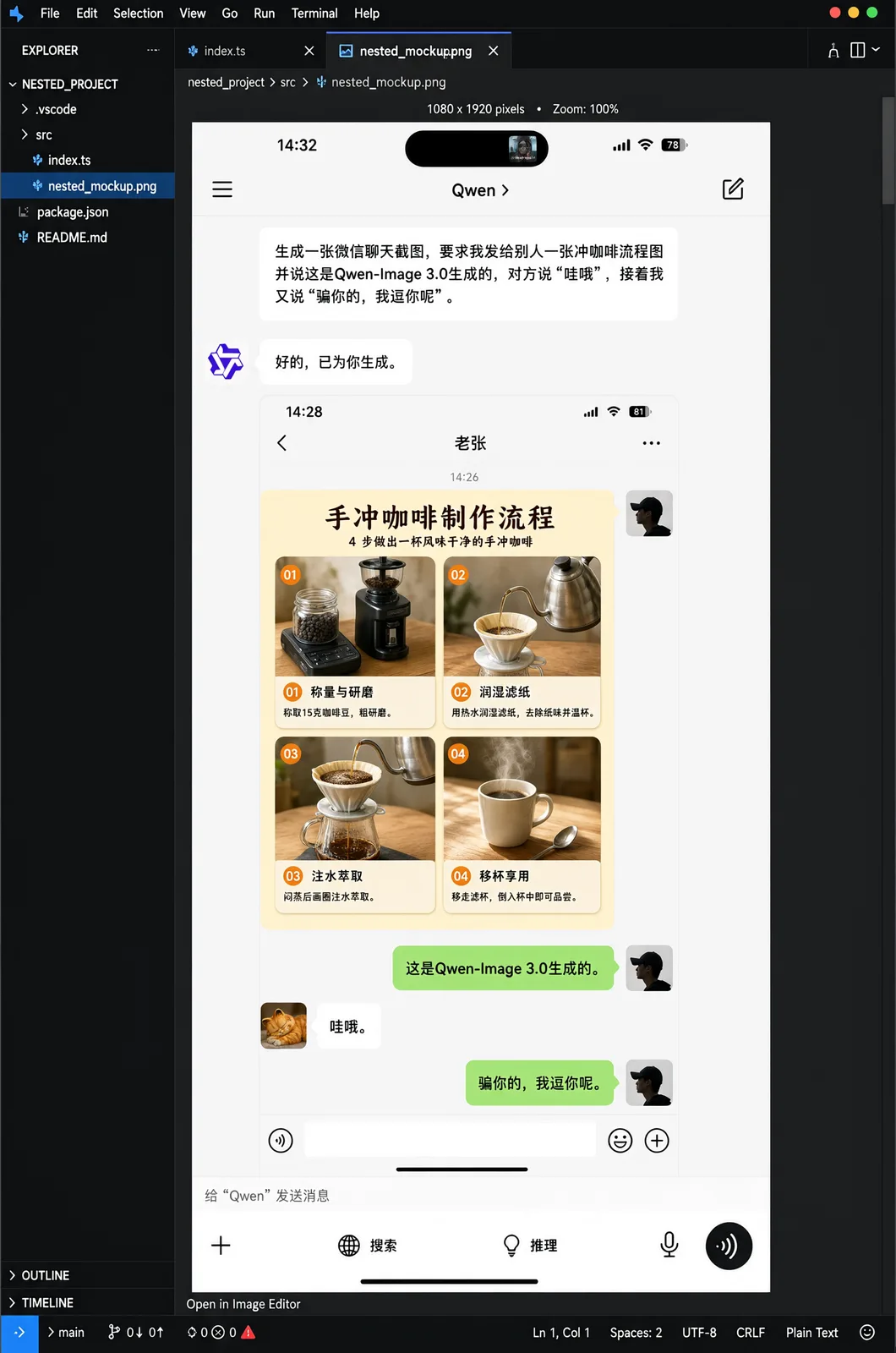
Most image generators would either collapse the nesting into a blurry mess or refuse to attempt it entirely. Qwen-Image 3.0 maintains clean separation between every layer.
Authentic Details: How Fine Can It Actually Render?
Text So Small You'd Miss It — Unless You Zoom In
The real stress test for any image generation model isn't a landscape or a portrait — it's text. Specifically, small text with precise formatting. This is where most models fall apart completely.
Qwen-Image 3.0 doesn't just render text — it renders tiny text with pixel-perfect accuracy. Here's a whale shark knowledge infographic packed with dense text and illustrations across every section:
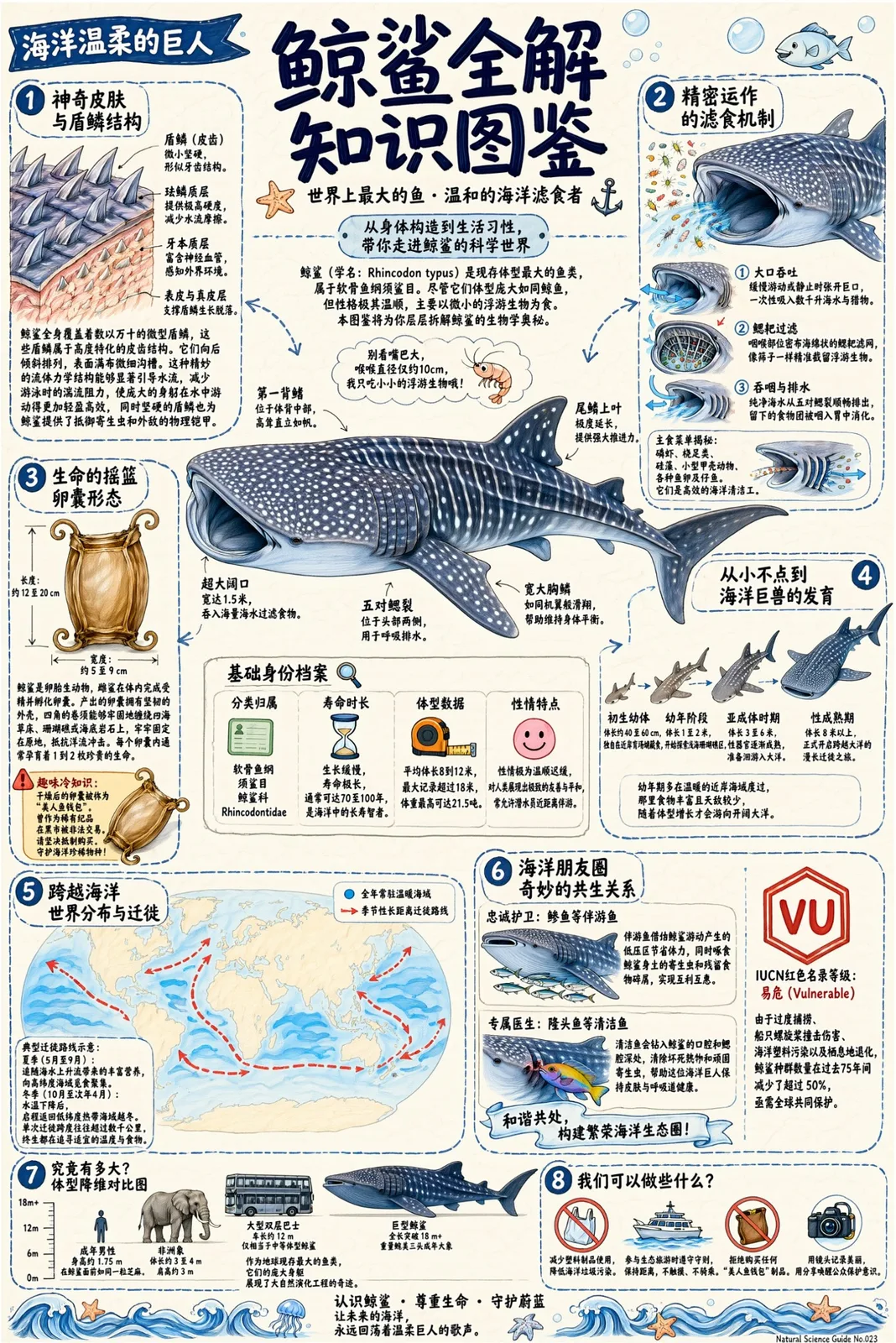
Every label, every caption, every data point renders correctly. That alone puts it in rare company.
Now take it up a level. Academic papers are the ultimate small-text torture test: dense LaTeX formulas, subscripts, superscripts, Greek letters, theorem numbering. One wrong symbol and the entire equation is meaningless.
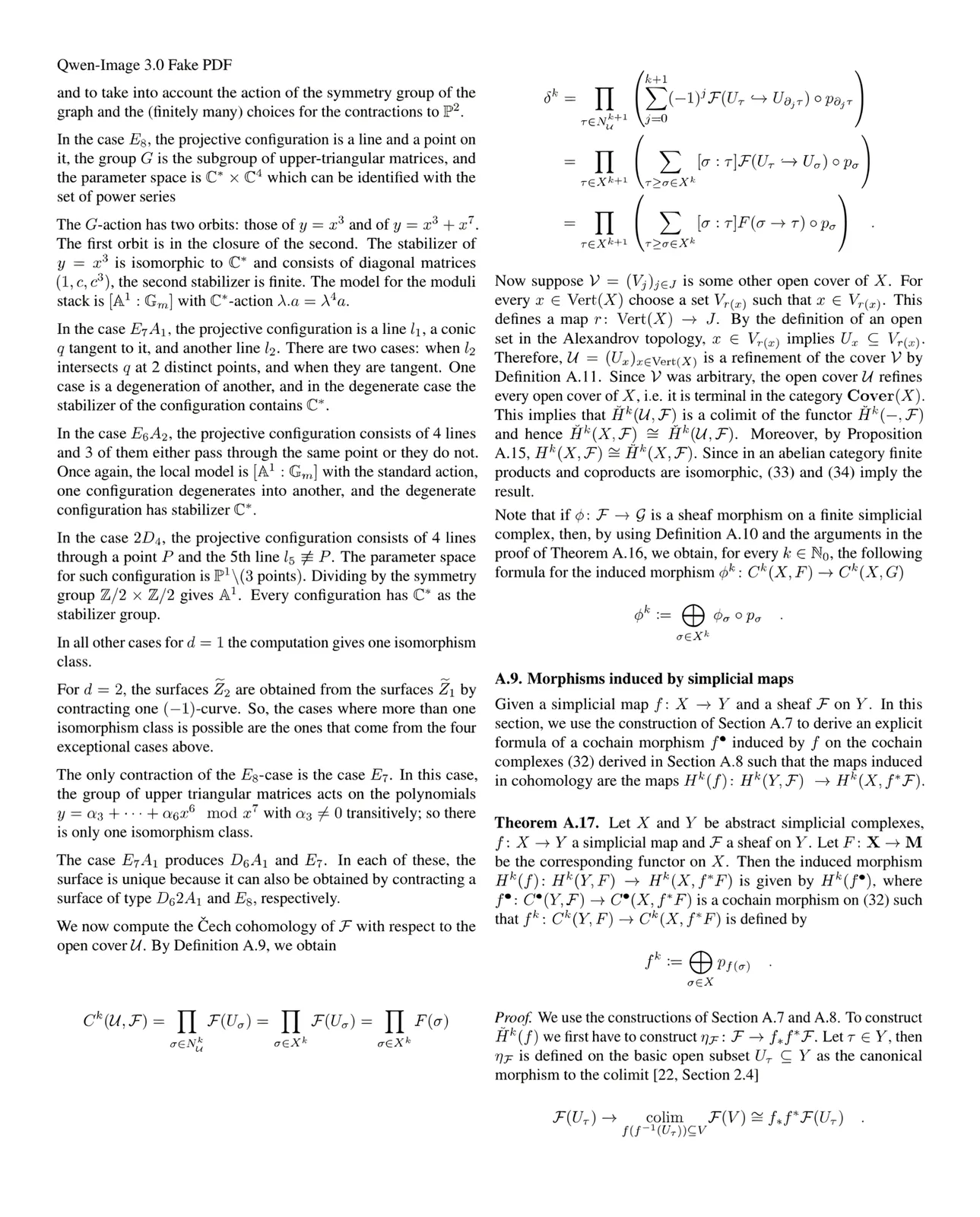
Qwen-Image 3.0 generated a full page of an algebraic geometry paper. Every LaTeX typesetting element — superscripts, subscripts, curly braces, fraction bars, multi-line alignment — renders accurately and stays readable even at small font sizes.
The model also handles realistic paper textures. This newspaper wasn't scanned — it was generated from scratch:
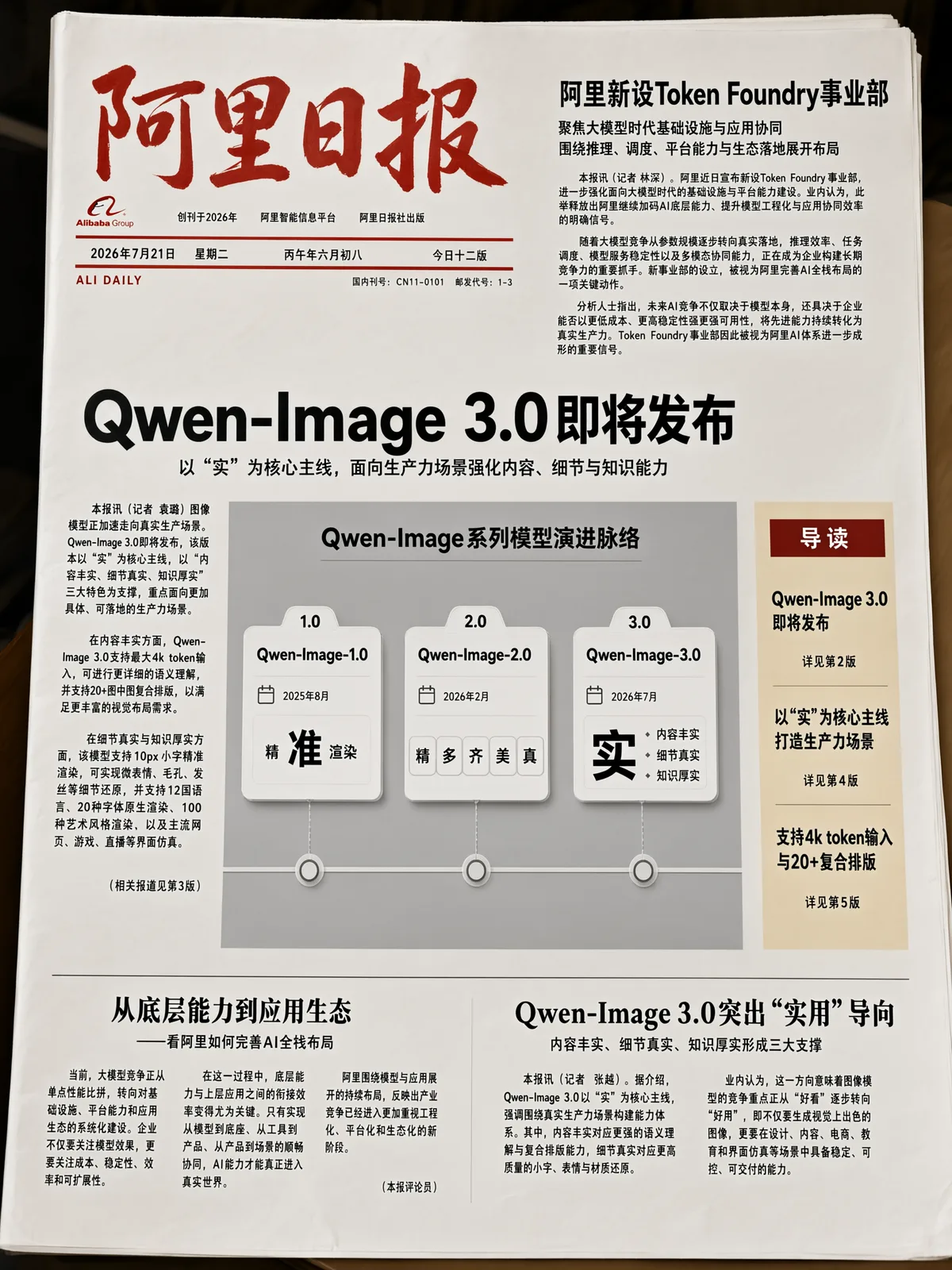
Dense columns of text, proper masthead formatting, realistic newsprint texture. The kind of output that looks like it came off an actual press.
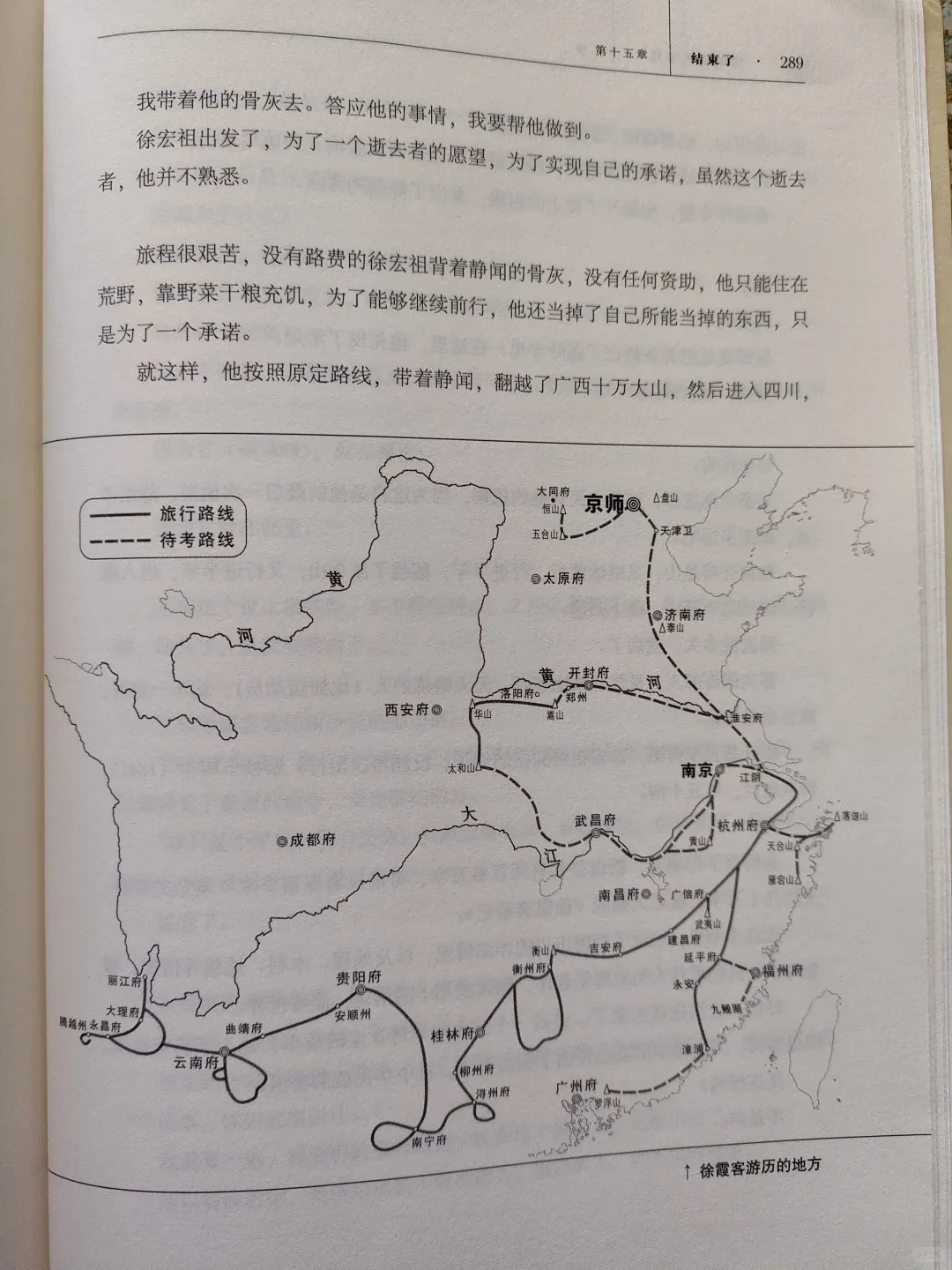
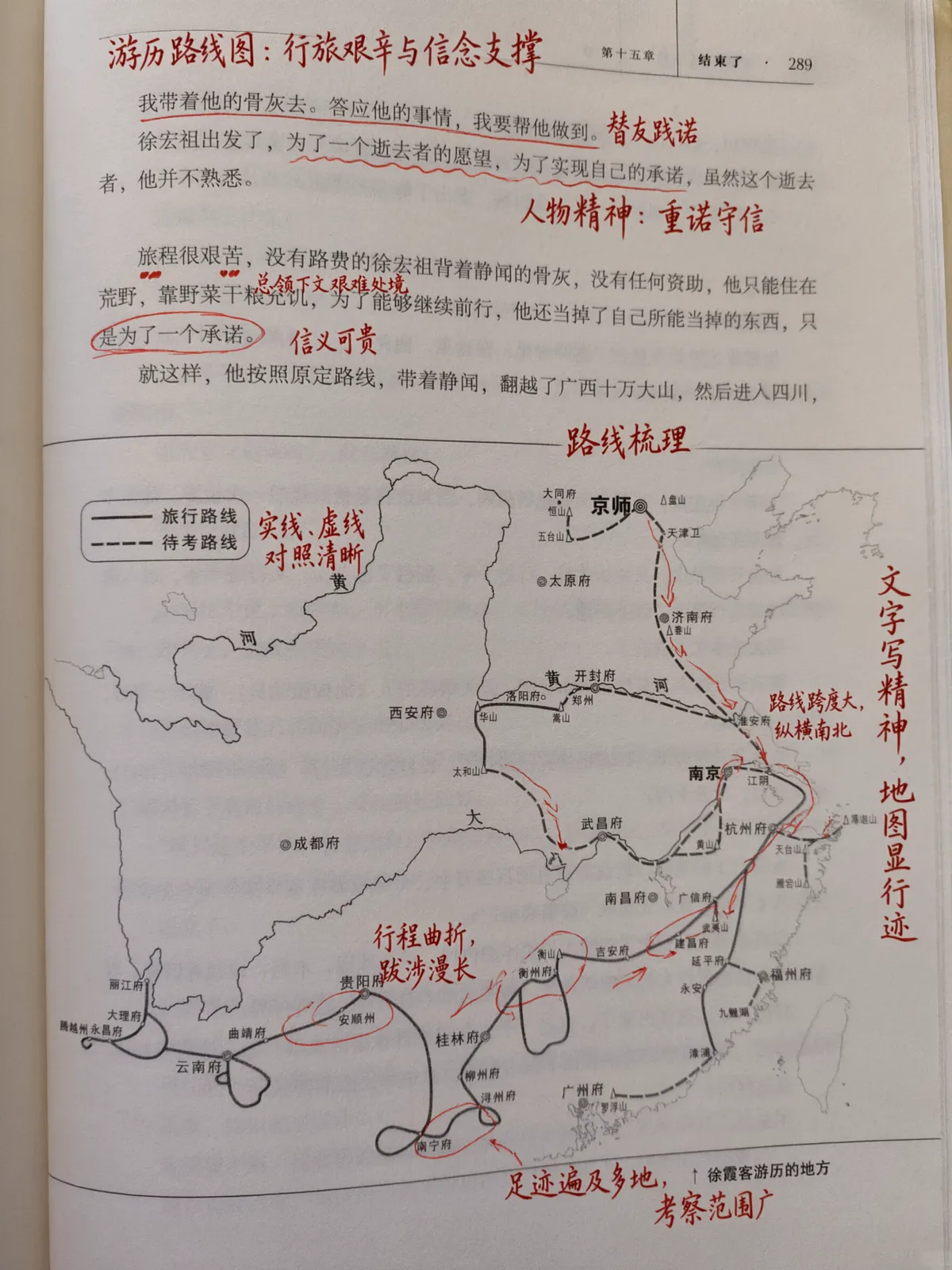
Even in editing tasks, the detail holds up. Here, the model added realistic handwritten annotations onto a book page — underlines, wavy lines, circles, arrows, and short comments. The handwriting looks natural and fluid, like a high school student's actual class notes:
Textures That Look Real, Not "AI Real"
Beyond text, Qwen-Image 3.0 captures physical textures at a level that closes the gap with actual photography. These portrait shots show skin pores, individual hair strands, and subtle skin texture that most image generators either smooth over or render with uncanny artifacts:
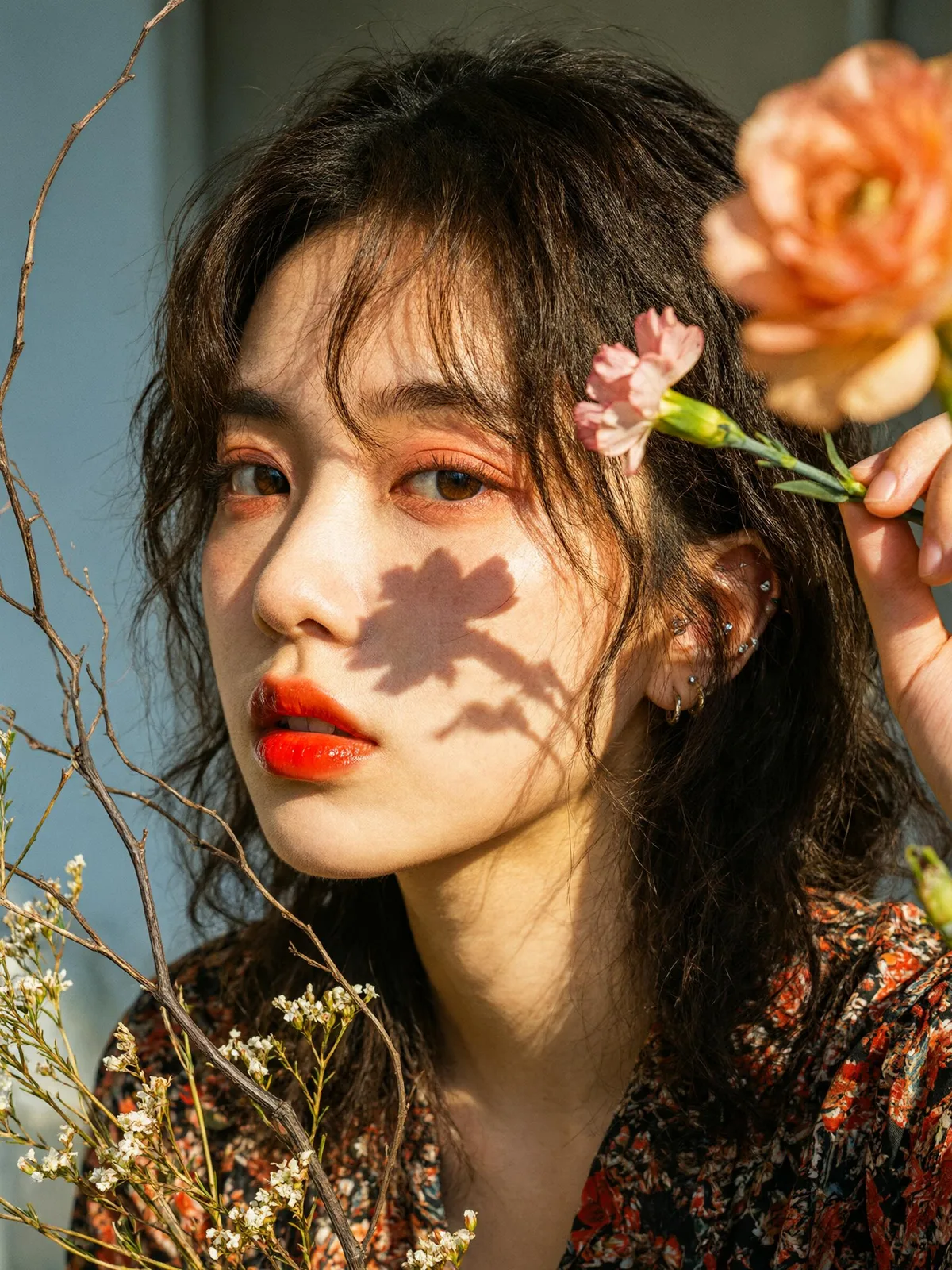
The same texture fidelity extends to objects, fabrics, and surfaces — anything where fine detail separates "convincing" from "clearly artificial."
Restoration: Fixing What's Broken While Keeping What's Real
One of the most practical applications of this detail level is image restoration. Give Qwen-Image 3.0 a damaged traditional painting, and it restores missing sections while preserving the original brushwork, ink gradients, and compositional balance:
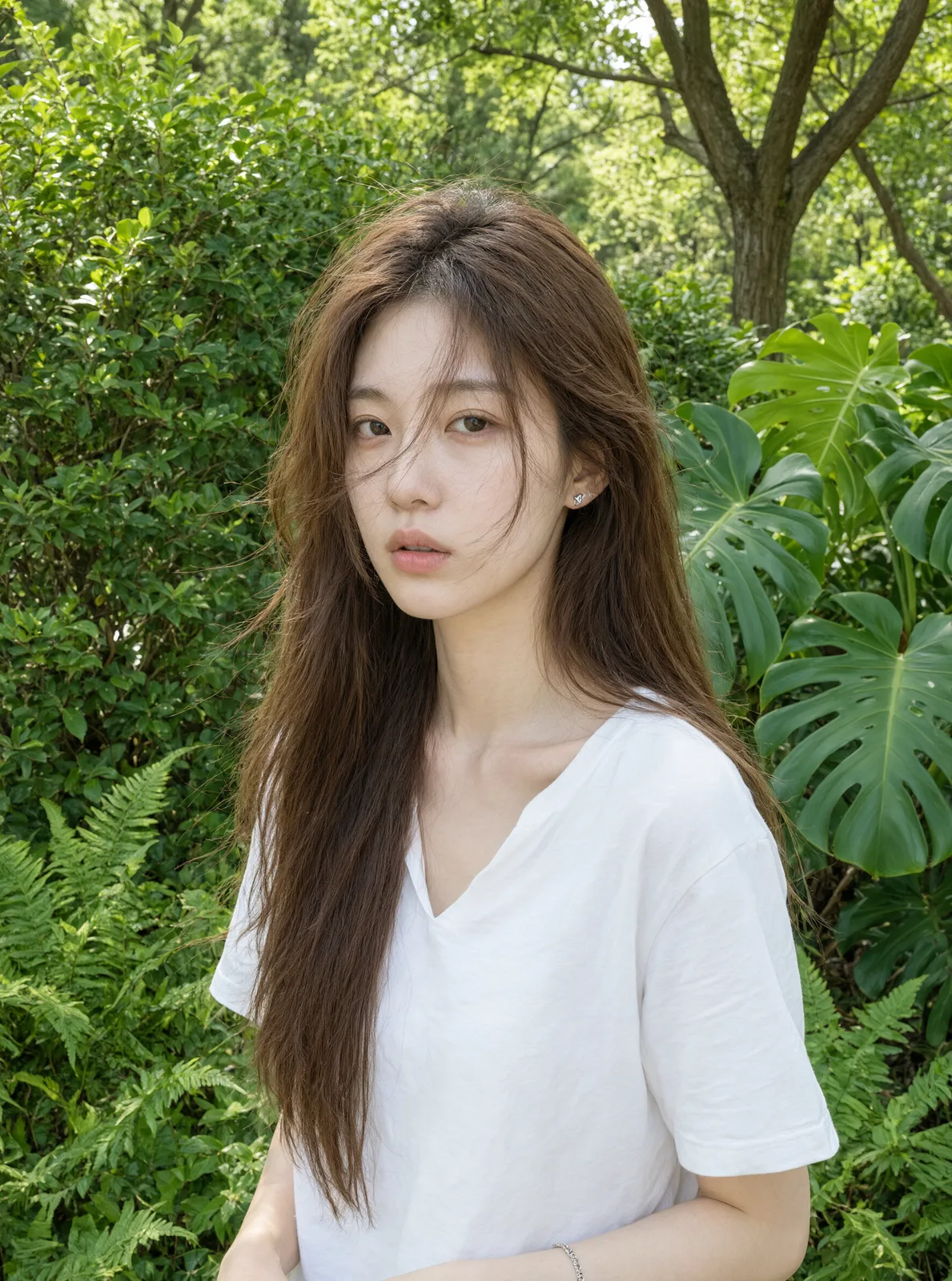
This eagle combat painting had mold spots, physical damage, and missing sections. The restoration matches the original ink-wash style, maintains feather texture, and removes the damage without altering the artistic intent. That's not just image generation — that's image understanding.
Deep Knowledge: How Broadly Can It Actually Know?
12 Languages, All Native
Qwen-Image 3.0 renders 12 languages natively — not by transliterating or approximating, but by understanding the typography, layout conventions, and visual expectations of each language. Here are Japanese, Korean, and Spanish examples:
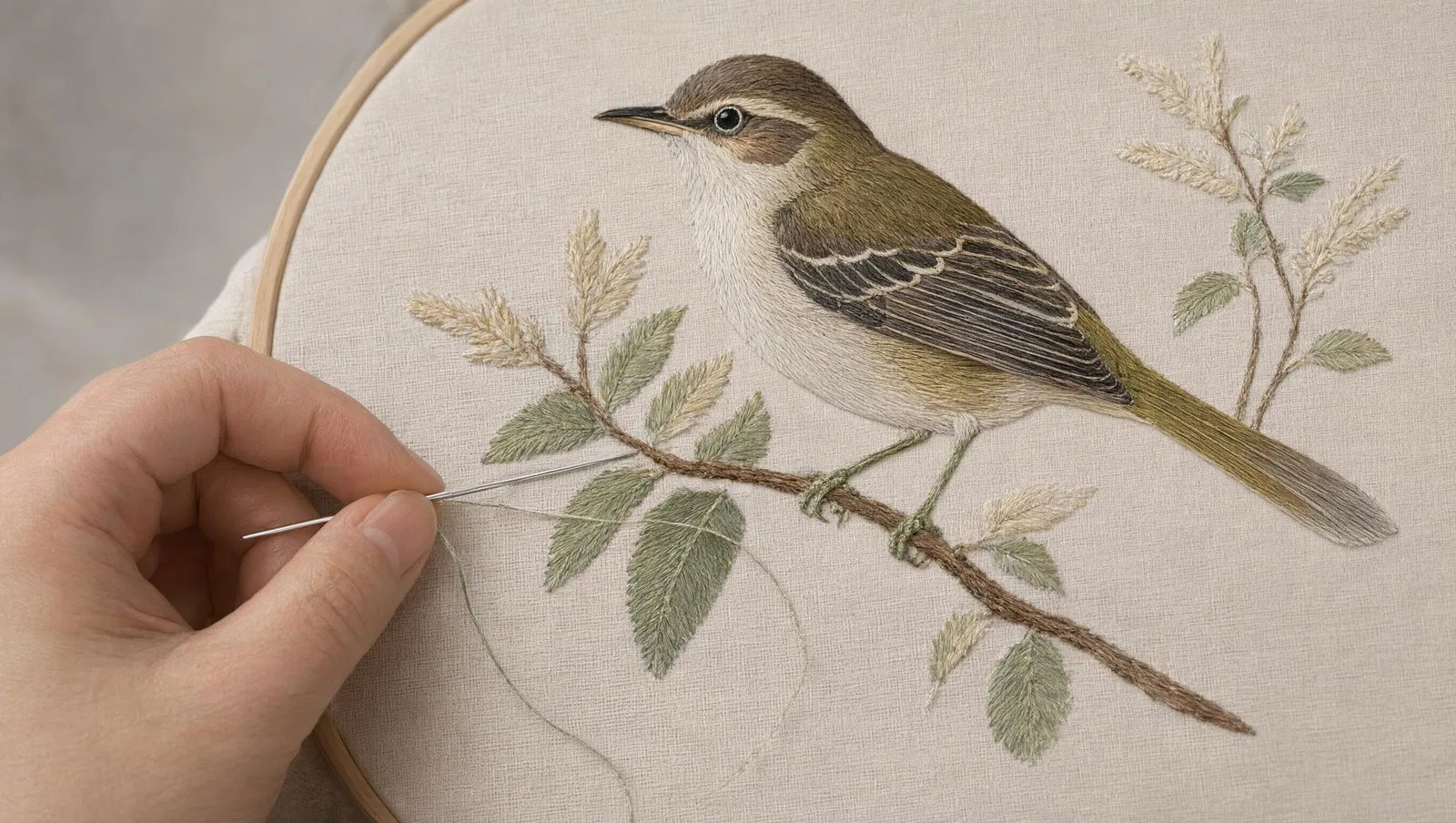
For anyone building products that need localized visual content, this eliminates the most painful step in the workflow: finding a generator that doesn't mangle non-Latin scripts.
UI Interfaces That Look Like Actual Products
The model's world knowledge extends to interface design. It can generate realistic web pages, mobile apps, game interfaces, and livestream layouts that look like screenshots from real products:
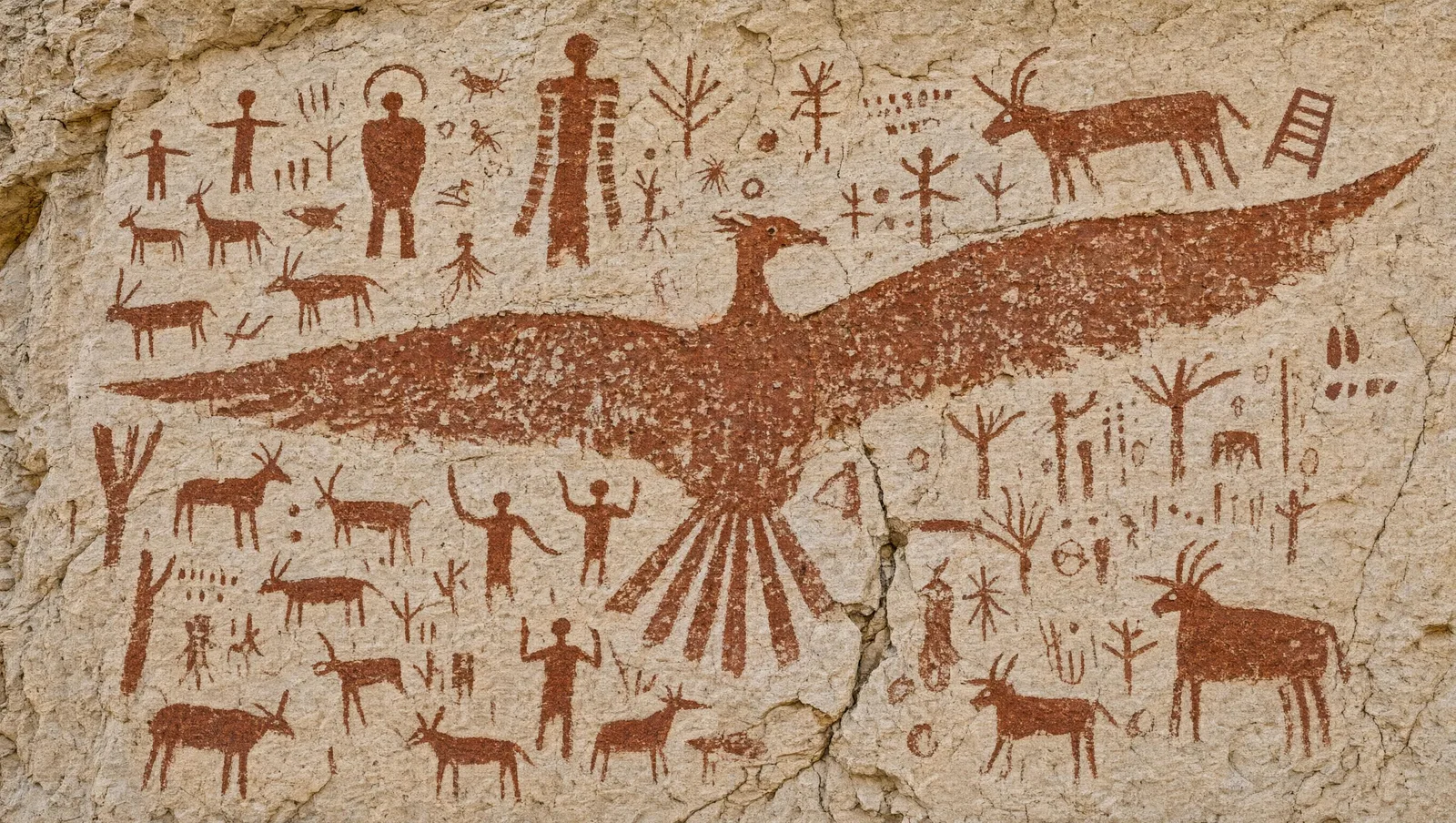
This matters for mockups, concept visualization, and any workflow where you need to show what something could look like before building it.
Academic-Grade Infographics from a Single Photo
Feed the model a real photograph, and it can build a publication-ready research figure around it. Take this example — starting from an insect photograph, Qwen-Image 3.0 added taxonomic classification, morphological annotations, magnified detail views, and a scale bar:
The output is ready for direct use in an academic journal. No separate illustration software, no manual annotation — one prompt, one image, done.
Real-Time Information via Internet Access
Unlike most image generators that are frozen at their training cutoff, Qwen-Image 3.0 can connect to the internet to retrieve current information. Here's a weather forecast image for Hangzhou generated with real-time data:

Recognizable IP Characters in New Contexts
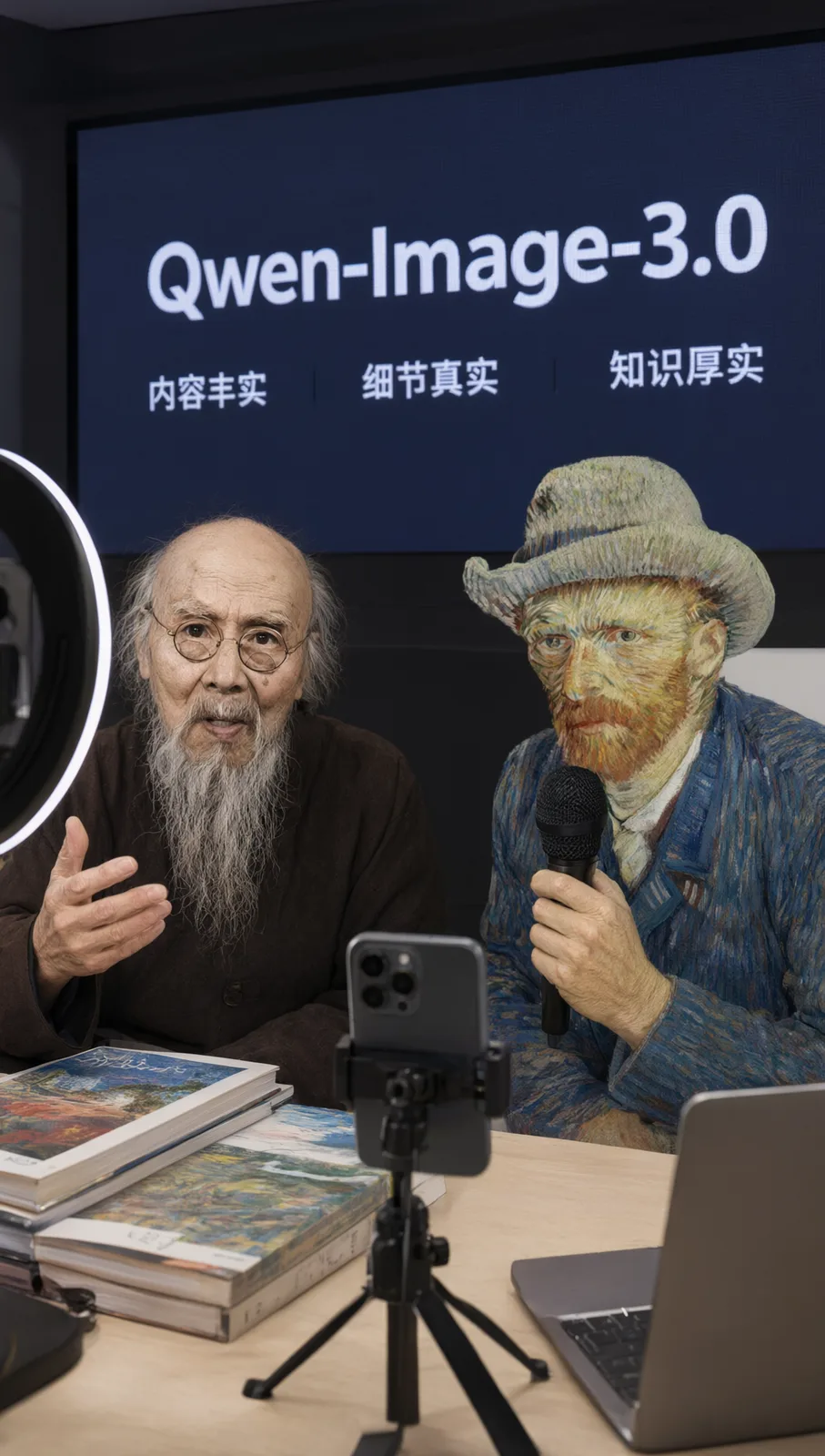
The model can identify specific characters and public figures, then place them in entirely new creative scenarios. Here, Qi Baishi and Van Gogh introduce Qwen-Image-3.0 in a livestream room — and both are instantly recognizable:
How Does Qwen-Image 3.0 Compare to Previous Versions?
The Qwen-Image series has evolved through three distinct stages, each solving a different problem:
Qwen-Image 1.0 focused on precision. The goal was simple: generate images where the elements you described actually appear correctly. At the time, that alone was a meaningful achievement.
Qwen-Image 2.0 expanded the quality dimensions. Precision stayed, but the model added variety, completeness, beauty, and realism. Images stopped looking like "AI trying" and started looking like "AI succeeding."
Qwen-Image 3.0 makes it practical. The single-word focus on "real" (实) signals a shift from aesthetics to utility. The model doesn't just generate beautiful images — it generates images you can actually use in production: academic papers, newspapers, UI mockups, multilingual marketing assets, restored artworks.
That progression — from "can it draw?" to "can it draw well?" to "can I use what it draws?" — is the real story of Qwen-Image 3.0.
When Should You Use Qwen-Image 3.0?
This model excels in specific scenarios where most alternatives fall short:
Generating text-heavy visuals. If your image needs readable text — infographics, documents, presentations, UI mockups — Qwen-Image 3.0 is in a class of its own. The 10px text rendering and 4,500-token prompt support make complex layouts actually feasible.
Multilingual content creation. Building visual assets for markets that use non-Latin scripts? Native rendering across 12 languages means you won't spend hours fixing garbled characters.
Academic and technical figures. LaTeX formulas, data visualizations, annotated diagrams — the kind of output that needs to be publication-ready, not just "close enough."
Image restoration and editing. Damaged artwork, incomplete photographs, images that need realistic annotations added — the model's understanding of texture and style makes it a practical restoration tool.
Concept visualization with real-world knowledge. Mockups, infographics, and creative concepts that require accurate representation of real interfaces, real products, or real-world information.
The Bottom Line
Qwen-Image 3.0 represents a meaningful shift in what image generation can do. It's no longer about creating images that look impressive — it's about creating images that work in real professional contexts. When a model can render 10px text legibly, handle 4,500-token prompts, generate publication-ready figures, and restore damaged artwork while preserving the original style, image generation crosses the line from creative novelty to genuine productivity tool.