Learn when free product background removal helps listing prep, which source photos work best, and how cutouts fit Amazon and Shopify workflows.
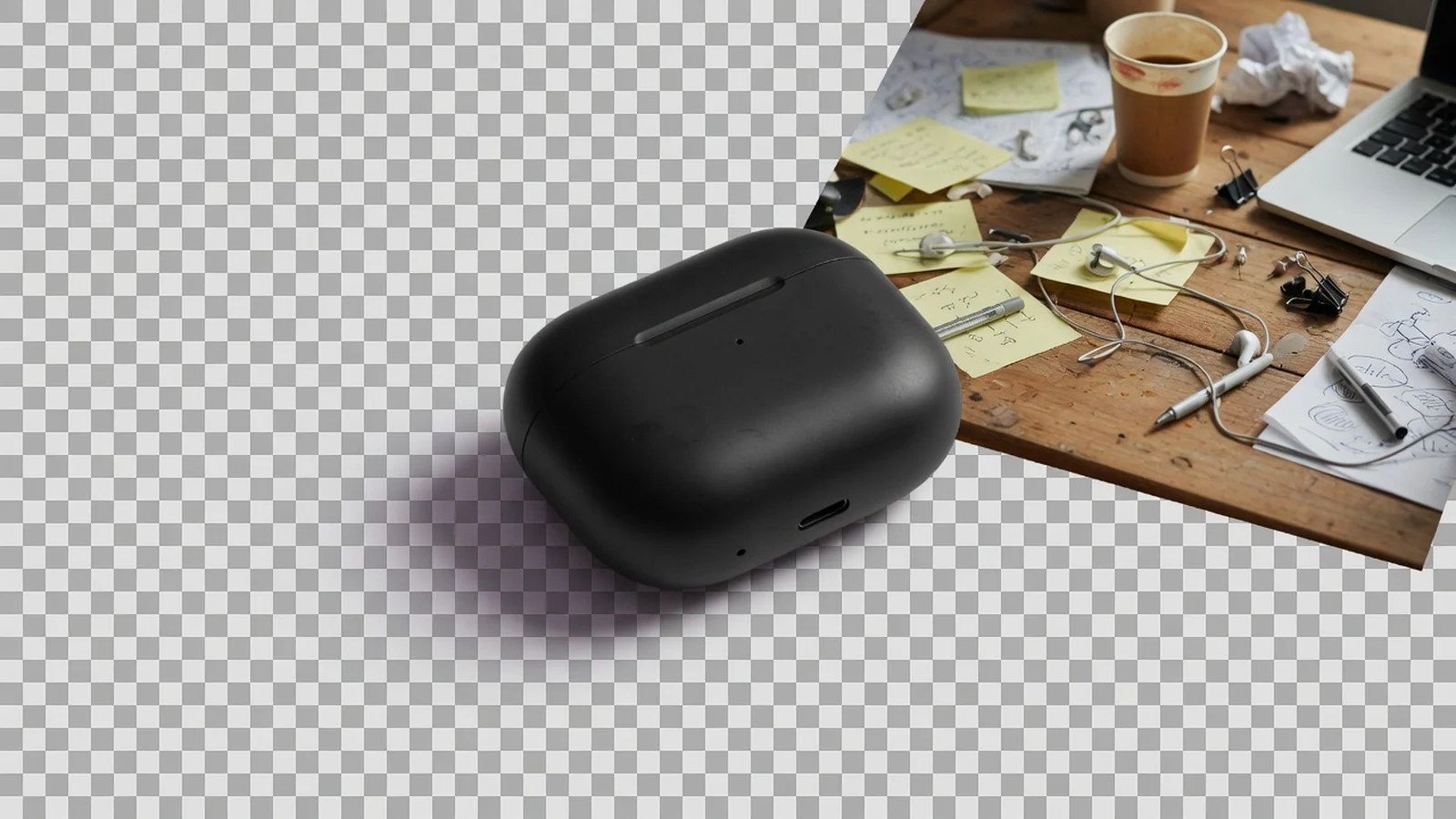
Product background removal isolates the product subject from a messy desk, warehouse floor, or room scene so you can rebuild listing images faster. A free browser cutout is not a full photoshoot replacement, but it is often the difference between a usable supplier photo and a listing-ready starting file.
For ecommerce teams, the goal is usually simple: keep the product identity intact, remove visual noise, and export a transparent PNG cutout that can move into white-background layouts, catalog grids, or design tools.
Why product cutouts matter before listing assembly
Most seller photo libraries are uneven. Supplier images arrive with cardboard, cluttered tables, harsh shadows, or busy rooms. Before you can build Amazon-style main images, Shopify collection modules, or campaign boards, you often need the product by itself.
A cutout helps you:
- separate the product from context that does not belong on a marketplace main image,
- reuse one subject across multiple layouts,
- speed up catalog cleanup without opening a full desktop editor for every SKU,
- create a cleaner handoff between operations, design, and listing specialists.
Source photos that work best
Background removal quality depends heavily on the source. Better inputs usually share these traits:
- the product is fully visible and not heavily cropped,
- edges are reasonably sharp,
- the subject contrasts with the background,
- packaging labels face the camera,
- the photo is not an extreme low-light phone capture.
Harder cases include flyaway hair, clear bottles, frosted glass, reflective metal, mesh fabrics, and products that match the background color. Free tools can still help, but you should inspect edges before publish.
How marketplaces use cutouts
| Use case | Why a cutout helps | What still needs review |
|---|---|---|
| Marketplace main-image prep | Removes desk clutter before white or light-neutral rebuilds | Category rules, product fill ratio, shadows |
| Catalog / collection grids | Creates a consistent subject base across SKUs | Cropping and relative scale |
| Detail-page modules | Lets design place the product into feature blocks | Lighting consistency with surrounding content |
| Campaign boards | Extracts the hero product for banners and social crops | Whether a full scene generation is still needed |
Amazon-style main images often emphasize a clean background and high product visibility. A cutout is a preparation step, not the finished compliance check. Always validate the final composition against the destination channel.
A practical remove-background workflow
- Pick the best identity view. Choose the angle that shows shape, color, and packaging clearly.
- Remove the background. Export a transparent cutout and inspect hairlines, corners, and logo edges.
- Decide the next destination. White listing canvas, catalog grid, design board, or campaign layout.
- Compress if needed. Once the composition is approved, reduce file size for upload or ads.
- Escalate only when necessary. If you need a completely new studio or lifestyle environment, move to AI product photography generation.
Hair, glass, and transparent packaging
Free background removers are strongest on solid, everyday product shapes: shoes, boxes, bottles with clear silhouettes, earbuds, accessories. They are weaker when the product itself contains transparency or fine strands.
Practical rule: use free cutouts for speed on clean subjects, then manually check anything with glass, liquid, smoke-like edges, or soft fur. If the free pass is close but not shippable, keep the cutout as a draft and finish the edge work before publishing.
Cutout vs reusable transparent PNG
These two jobs often share one engine but different intent:
- Background remover intent: get the product out of a messy source photo.
- Transparent PNG intent: create a reusable master for modules, design tools, and multi-size layouts.
If the source is dirty, start with removal. If the product is already isolated and you care about reuse across banners and theme sections, prioritize a transparent product PNG workflow.
Free browser background removal with ProductShot AI
ProductShot AI Free Product Background Remover lets you upload a product image, remove the background in the browser, preview the cutout, and download a PNG with no login, credits, watermark, or saved history. Complex edges may need a second look, and that limitation should stay visible in your process—not hidden behind marketing claims.
Need the reusable-master framing instead? Use Transparent Product PNG. Need a lighter file after the cutout is approved? Use the Free Product Image Compressor.
Next steps after you have a cutout
- Inspect edges at 100% zoom on packaging corners and thin straps.
- Place the cutout into the real listing canvas or module before bulk work.
- Compress the finished asset if upload size is still high.
- If you need a new lifestyle or studio scene around the same product, open AI Product Shot.
Background removal is a preparation craft. Done honestly, it saves hours of cleanup without pretending every free cutout is pixel-perfect matting.