Compare AI fashion model generators for consistent ecommerce catalogs, usable-image cost, batch workflows, garment accuracy, and multi-channel output.
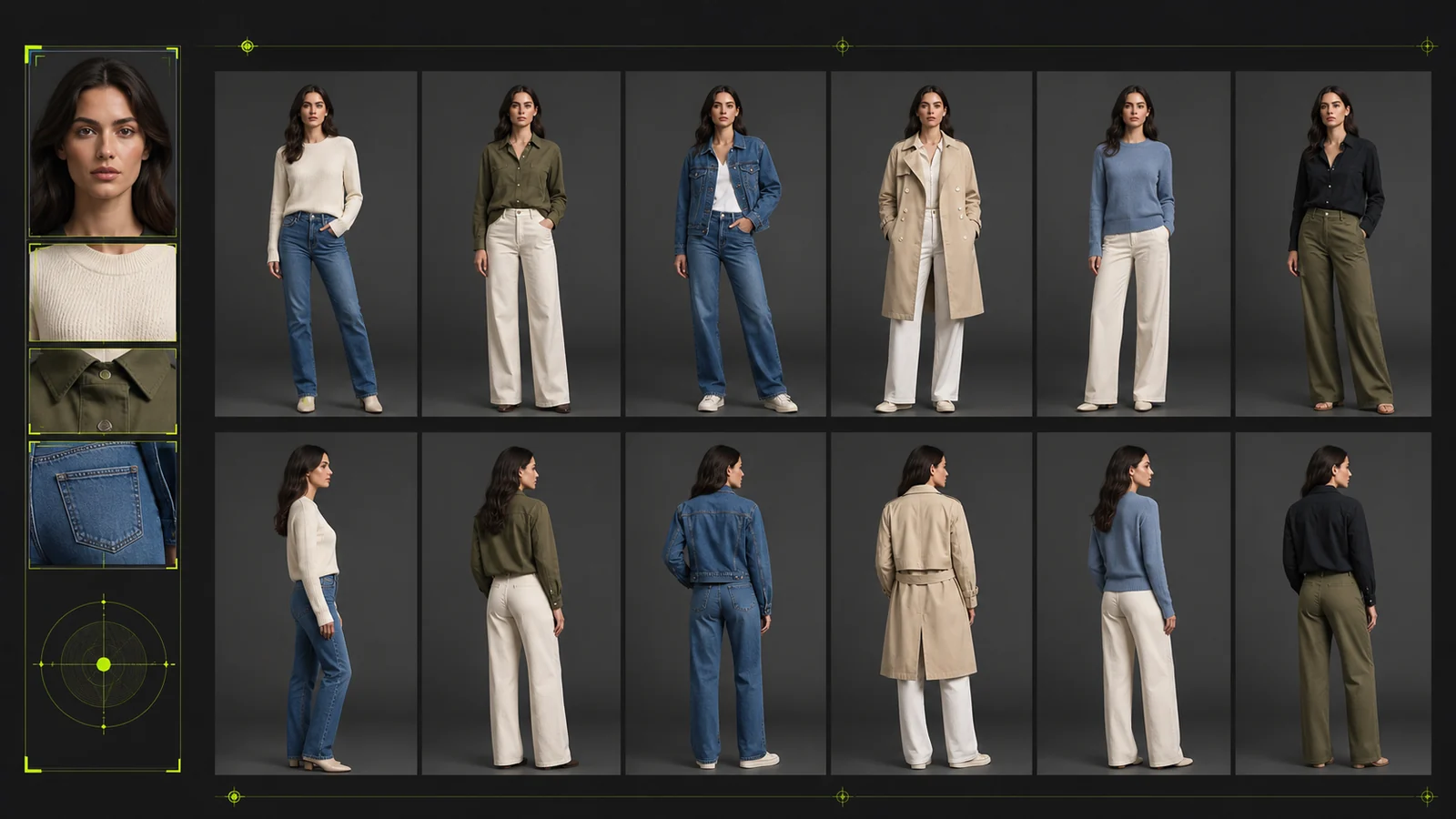
For an ecommerce catalog, the best AI fashion model generator is not the tool that creates the most dramatic single image. It is the tool that can repeat an approved product, model identity, lighting direction, framing, and channel format across an entire collection.
The ProductShot AI Team compared nine documented workflows around three operational questions: how reliably the product is represented, how consistently a catalog can be produced, and how much manual work remains after generation. This article focuses on catalog operations rather than a generic winner ranking.
Pricing and plan limits in the comparison are snapshots from the supplied March 2026 research. Verify current official pricing before purchasing.
What Fashion Brands Actually Need from an AI Model Generator
Most comparisons judge AI fashion tools on output quality alone. Fashion brands managing real product lines care about three things.
Catalog-Scale Visual Consistency
A store with 200 product images using inconsistent lighting, model proportions, and color grading looks amateur. It doesn't matter how impressive each individual image is. When a customer scrolls through your collection page, every image should feel like it came from the same shoot.
Prompt-only tools tend to drift across generations, forcing repeated retries that inflate true cost. Reusable visual ingredients—saved photography styles, composition templates, or custom models—keep visual parameters stable across batches. This is the consistency problem, and most tools offer no solution.
Garment Accuracy and Product Fidelity
Product imagery directly affects purchase confidence and returns. If AI output changes fabric texture, color, stitching, fit, or construction, the visual may misrepresent the item. Garment accuracy therefore belongs in the approval checklist, not only in the generation prompt.
Full-Scene Photography Coverage
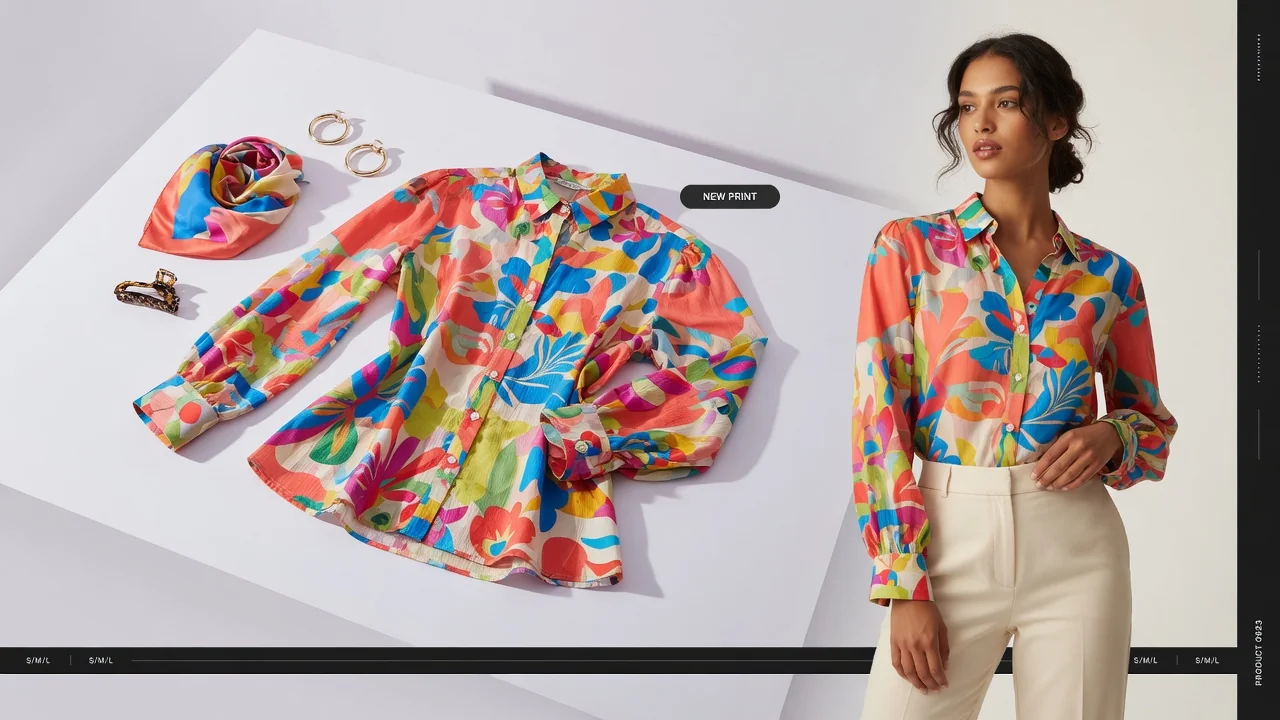
Fashion brands need more than one type of image: product display shots (white background, standardized framing), lifestyle photos (styled scenes with context), campaign imagery (editorial quality), color variants, and multi-angle views—five distinct product photography types.
Most tools in this comparison handle only one: flatlay-to-model conversion. That covers your on-model listing image and leaves you sourcing the other four elsewhere. The gap between a tool that handles one scene and one that handles five is the gap between replacing a single shoot and replacing your entire photography pipeline.
9 AI Fashion Model Workflows Compared for Ecommerce Catalogs
We evaluated nine tools against the three criteria above. Here's how they compare, followed by detailed profiles.
| Feature | Nightjar | Photoroom | ProductShot AI | Fashn | Uwear | Botika | Claid | WearView | VModel |
|---|---|---|---|---|---|---|---|---|---|
| Starting Price | $25/mo (150 gens) | $12.99/mo (Pro) | Pay-per-use (10 credits/gen) | $19/mo (200 credits) | $27/mo (150 credits) | $33/mo (30 credits) | $9/mo | $29/mo (50 credits) | Pay-per-use ($10 free) |
| Effective Cost/Image | ~$0.17 | ~$0.13 (Pro) | ~$0.10 | ~$0.10 | ~$0.18 | ~$1.10 | Varies | ~$0.58 | Varies |
| Max Resolution | 2048x2048 (4K upgrade) | Up to 4K | HD | Up to 4K | Standard | Up to 4K | Up to 4K | Up to 4K | Standard |
| Catalog Consistency | Reference-based style locking | Limited (no style extraction) | Reference style guidance | Model reuse only | Model reuse only | Template-based | Template-based | Identity consistency | None |
| Workflow Coverage | Full (try-on + composition + lifestyle + color variants + multi-angle) | Broad editing suite + model gen | Full (white BG + studio + lifestyle + ads + multi-angle) | Try-on specialist | Try-on + batch | Model generation | Photo enhancement + model gen | Try-on + video + pose | Mannequin-to-model |
| Batch Processing | Via workflow | From $99/mo | Multi-output support | No | Up to 10K items (CSV) | Yes | Yes (API) | Limited | No |
| Shopify Integration | Native app | No | No | No | No | Native app | No | No | No |
| Video | No | No | No | Yes (480p-1080p) | Yes | Yes (5 credits) | Yes | Yes (720p-1080p) | No |
| Best For | Full-catalog consistency | Mobile-first sellers | Full-scene e-commerce photography | Garment drape accuracy | High-volume batch | Shopify plug-and-play | Developer teams | All-in-one with video | Budget/seasonal sellers |
Nightjar — Reusable catalog styles and workflow presets
Pricing: $25/mo (150 generations), $50/mo (400 generations). ~$0.13-0.17 per image.
The Try On Edit Shortcut places clothing on AI fashion models. The Photography Style system captures visual direction (camera feel, lighting, mood, color) from reference images and reuses it across generations. Composition templates lock framing, angle, and pose for standardized product shots. The Recolor Edit Shortcut generates full colorway variants from a single photo.
This is the only tool in this comparison built around reusable visual ingredients plus a Recipe layer that saves complete Create-form configurations. For brands producing 200+ SKUs per season, all images can share the same visual direction without rebuilding the brief each time. No need to write prompts that AI interprets differently from one generation to the next—just select your saved Photography Style, Composition, and Fashion Model.
Built-in Shopify app with Shopify auth and billing. Default 2048x2048 resolution with 4K upgrade for zoom-level detail.
Limitation: Specialist try-on tools like Fashn or Uwear may produce more natural garment drape on flatlay-to-model conversions specifically. If that's your only need, a specialist might edge ahead.
Photoroom — Mobile editing and a broad product toolkit
Pricing: $12.99/mo (Pro), $34.99/mo (Max). Virtual Model feature with diverse AI models.
Photoroom has the strongest mobile app in the category. Full functionality on your phone—useful when shooting products at trade shows or updating listings from a warehouse. Recent integration with OpenAI's gpt-image-1 supports up to 4 products in a single generation for outfit styling.
The toolkit goes well beyond fashion: background removal, batch processing, templates. If you need a Swiss Army knife for product images, Photoroom is a solid choice.
Limitation: No style extraction workflow. Fashion model generation is one feature among many, not the core focus. Batch mode starts at $99/mo, which prices out smaller sellers.
ProductShot AI — Product-locked fashion and ecommerce visual production
Pricing: Pay-per-use, 10 credits per generation. No subscription required.
ProductShot AI focuses on comprehensive e-commerce product photography. Upload one product image to generate white-background shots, studio-style photos, lifestyle scenes, ad creatives, and more. Its standout feature is "Product Lock"—preserving the product's shape, color, material, packaging, and label details while rebuilding the scene, ensuring product identity stays consistent across backgrounds.
Supports reference-based style guidance: use up to 2 reference images to control lighting mood, composition style, and brand feel. Built-in lens language options (standard 50mm, macro 100mm, wide 24mm, etc.) and quick templates (e-commerce white BG, Amazon main image, premium display, lifestyle scene, etc.). Supports image specs for Shopify, Amazon, Etsy, and other major platforms.
Limitation: The broader workflow requires teams to define which outputs belong on product pages, campaigns, and social channels. High-volume users should track cost per approved image rather than generation count alone.
Fashn — Specialized garment drape and virtual try-on
Pricing: $19/mo (200 credits), $49/mo (750 credits). Specialist in virtual try-on with proprietary v1.5 architecture.
Fashn does one thing and does it exceptionally well. Product-to-model, model swap, and virtual try-on workflows. Its garment rendering precision is among the best available—fabric drapes naturally rather than looking painted on. Pro tier supports native 4K output with API access for developer integration.
AI model creation lets you build a consistent custom model and reuse it across generations, helping with consistency within that workflow.
Limitation: Narrow focus on try-on and model swap only. No lifestyle scenes, no composition standardization, no style extraction. If you need more than on-model images, you'll need a second tool.
Uwear — High-volume batch processing
Pricing: $27/mo (150 credits). Pay-per-credit option at $0.10/credit.
Uwear is built for volume. Its proprietary "Drape" engine handles garment rendering, and batch processing scales up to 10,000 items via CSV upload. For brands launching hundreds of SKUs at once, that throughput matters.
The "Create AI Models" feature lets you describe model characteristics and reuse them. They also offer a consumer-facing "Try On You" button that lets shoppers see garments on themselves—an entirely different value proposition.
Limitation: No style extraction or composition standardization. No native marketplace integrations. Consistency relies on model reuse alone, which handles the model but not lighting, color grading, or framing.
Botika — Shopify-centered model imagery
Pricing: $33/mo (30 credits). All models are fully AI-generated.
Botika has a native Shopify app and iOS app. Upload a photo, pick a model, pose, and background. The Advanced tier offers "white-glove quality control"—human review before delivery. Video generation available at 5 credits per video.
Limitation: 30 credits for $33/mo makes Botika the most expensive per-image option at roughly $1.10 each. For a 200-SKU catalog, that pricing becomes prohibitive quickly. No custom prompts or style extraction.
Claid — Developer teams and API pipelines
Pricing: $9/mo (Essentials). API-first architecture.
Claid makes sense when you need to process images programmatically. 100+ diverse AI models covering ethnicity, age, plus-size, and kids. Background removal, enhancement, and scene generation bundled together. Lowest entry price in this comparison.
Limitation: The credit system is opaque. Different operations cost different amounts, making it hard to predict monthly spend. Fashion model generation is part of a broader photo enhancement suite, not the core focus.
WearView — Model imagery with video options
Pricing: $29/mo (50 credits). Full content pipeline.
WearView tries to cover everything: text-to-model, garment swap, consistent identity, pose control, video generation. Its "consistent model identity" feature maintains the same face and body across generations, partially solving the consistency problem. Supports HD, 2K, and 4K output. Up to 15 team members on the Advanced plan.
Limitation: Credits deplete fast at higher resolutions. A 4K image costs 5 credits, meaning the Lite plan gives you only 10 high-resolution images per month. Add-on credits run $0.29-0.40 each. 1080p video costs 20 credits. The math gets expensive if you need both quality and volume.
VModel — Flexible entry for lower-volume sellers
Pricing: Pay-per-use, $10 in free credits on signup. No subscription required. Credits never expire.
VModel is the simplest entry point. Mannequin-to-model conversion, 30+ model styles, a Chrome extension for quick generations, and API access. No-commitment pricing works well for seasonal sellers or anyone testing the waters.
Limitation: Limited model library compared to competitors with 100+. No batch processing, no video, no consistency features, no style control. You get what you pay for.
The True Cost of AI Fashion Photography: Beyond Per-Image Pricing
Per-image pricing is the metric every comparison leads with. It's also misleading.
Traditional fashion photography includes studio, talent, styling, retouching, logistics, and reshoot costs. AI can reduce repeat production work, but only when the generated set survives product-detail review and can be published without excessive regeneration.
But there's a hidden cost nobody talks about: the consistency tax. When your AI tool produces images that don't match each other, you regenerate. And regenerate again. Those wasted credits add up.
Consider a 200-SKU fashion catalog needing 6 images per product—1,200 base images total. Here's what true cost looks like when you factor in regeneration rates:
| Method | Cost/Image | Consistency Approach | Effective Cost (200 SKUs × 6 images) |
|---|---|---|---|
| Traditional photography | $75.00 | Shot together in one session | ~$90,000 |
| Nightjar (reusable ingredients + Recipes) | $0.17 | Saved Photography Style, Composition, Model, Recipe | ~$204 |
| ProductShot AI | ~$0.10 | Reference style guidance + Product Lock | ~$120 |
| WearView (Pro) | ~$0.25 | Consistent model identity feature | ~$300 |
| Botika | ~$1.17 | Template-based scenes | ~$1,400 |
| Fashn | ~$0.10 | Reusable AI model (try-on tasks) | ~$120 |
| Uwear | ~$0.10 | Reusable AI model (try-on tasks) | ~$120 |
The cheapest per-image price doesn't always mean the lowest total cost. ProductShot AI, Fashn, and Uwear win on raw cost per image, and for brands that only need on-model conversions or full-scene product photography, they're genuinely good value. Nightjar's slightly higher per-image cost can be offset for brands needing cross-collection visual consistency—because saved Photography Styles, Composition templates, Fashion Models, and Recipes reduce briefing overhead between generations. The right choice depends on what you're optimizing for.
How to Build a Cohesive Fashion Catalog with AI
Use a small pilot before generating an entire season.
- Define the output set. List the required model image, white-background image, detail crop, lifestyle scene, campaign crop, and channel ratio for one SKU.
- Choose a difficult garment. Use a product with a print, logo, stitching, or color that will expose fidelity problems quickly.
- Lock the repeatable decisions. Reuse the same model identity, scene direction, lighting, camera language, framing, and Product Lock settings.
- Generate a five-SKU pilot. Review the collection grid, not only each image in isolation. Check garment detail, model consistency, color grading, crop, and channel fit.
- Measure cost per approved image. Include regenerations and human review. Expand to the full catalog only when the pilot is consistent enough to publish.
ProductShot AI is designed to connect fashion model workflows with the wider ecommerce image set: model imagery, product recoloring, packshots, white backgrounds, studio scenes, lifestyle scenes, and campaign assets. The practical advantage is not one impressive generation; it is keeping the product identity and visual direction stable while producing the formats a catalog needs.
Start with one difficult garment and one five-SKU collection. That test reveals more than a pricing table.